Westminster Leningrad Codex

February 2nd, 2026 – 9:29 pm
Categorized as Book notes
URI: https://memorymatrix.cloud/archives/2806.html

I added the Westminster Lenigrad Codex to this site.  The continuously revised version is at https://tanach.us/.  A 713 MiB PDF file is available at archive.org. A set of color photographs by Bruce E. Zuckerman is also available. In order to faciliate easy links, I have uploaded a reduced file size version of the 713 MiB PDF.  This version is ~229 MiB.  The file size was reduced by changing the DPI to 72 DPI via GhostScript on Linux.  I have not uploaded the 713MiB at the moment because using that one for links as I did with the Geneva Bible would cause quite a server impact when each new version lookup required 713 MiB of data transfer.

Genesis 1:1 appears on page 7 of the PDF. The Aleph and Tav in Genesis 1:1 is in the right column, 2nd line from the top, on the right-side edge of the column.

A conflict in KJV v. RV as Regards Virtue

January 26th, 2026 – 9:44 pm
Categorized as Spiritual notes
URI: https://memorymatrix.cloud/archives/2778.html

Upon checking for the word childish using grep on the server I stumbled upon a drastic difference in translation meanings.

Wisdom, Chapter 4 in the KJV, says “Better it is to have no children, and to have virtue: for the memorial thereof is immortal: because it is known with God, and with men. ”

Whereas in the Revised Version, Wisdom says ” Better than this is childishness with virtue; For in the memory of virtue is immortality: Because it is recognised both before God and before men.”

These are very different meanings. In the authorized version, one finds a comfort for having virtue if they lacked children. In the Revised Version they find an admonishment toward playfullness. Stepping further backward to chapter three, we find that the discussion relates to the unfortunate children of adultery. Chapter 3 of the book Wisdom always gave me great discomfort. It seems the KJV implies that one is better to not have children and to possess virtue rather than to have unrighteous children via adultery. The RV implies either that children should be virtous, or that a virtous person ought to remain in touch with their inner child.

The Geneva Bible agrees with the KJV by using the word barreness. “Better is barrenness with virtue: for the memorial therof is immortal: for it is know with God & with men”

I was looking up the world childish to see how many references there might be to it in addition to the one in 1 Corinithians 13, which says “When I was a child, I spake as a child, I understood as a child, I thought as a child: but when I became a man, I put away childish things.”

There are two instances of the word childish in the KJV. The RV shows only one since they used childishness in Wisdom chapter 4.

Pruning the Blogroll

January 15th, 2026 – 9:17 pm
Categorized as Errata Notes
URI: https://memorymatrix.cloud/archives/2748.html

Many of the links are disappearing from the blog roll.  Long format text blogs are a rarity these days, but the ones removed have express Trump Derange Syndrome, which is not a medical diagnosis.  It means they are either paid to lie, delusional, or an enemy of heritage American posterity.  That is not to commit the alternate error of declaring someone perfect. It is to recognize balderdash, hooey, illogic, lies, and traitorous sentiments so obviously wickedly contrived that it is an insult to readers to list them here.  I am leaving “a prophecy of esau and jacob” despite their January 16, 2026 article  because they have such in depth material on the Targum, but it is definitely in the artificial narrative camp regarding events in the USA.  That blog is listed because it is valuable counterintelligence from a prophetic perspective, and not because I believe it.

There are two end-times futurism camps.  In one, the USA is here and continues on, and in the other it is destroyed, nuked, and enslaved.  Jonathan Cahn is in the destroyed, nuked, and enslaved camp, as is “a prophecy of jacob and esau”.  Historicism, Preterism, and one branch of futurism do not generally incorporate that view.

The author claimed that the administration in the USA wants civil strife (January 16, 2026).

The Trump administration wants to force showdowns that lead inevitably to what happened in Minneapolis Wednesday.

The site remains due to its great value as source of information related to the “America gets destroyed in the end times” spiritual teachings camp.  I am reminded of some words of Jesus, since we are discussing a site that teaches the Targum.

Then Jesus said unto them, “Take heed and beware of the leaven of the Pharisees and of the Sadducees.”

And they reasoned among themselves, saying, “It is because we have taken no bread”.

Which when Jesus perceived, he said unto them, “O ye of little faith, why reason ye among yourselves, because ye have brought no bread? Do ye not yet understand, neither remember the five loaves of the five thousand, and how many baskets ye took up? Neither the seven loaves of the four thousand, and how many baskets ye took up? How is it that ye do not understand that I spake it not to you concerning bread, that ye should beware of the leaven of the Pharisees and of the Sadducees? ”

Then understood they how that he bade them not beware of the leaven of bread, but of the doctrine of the Pharisees and of the Sadducees. (Matthew, ch. 16: KJV, Geneva Bible, pp. 1006, 1,007)

In another place, Jesus mentions hypocrisy.  Mixing what one claims to be truth with civil strife talking points would seem to qualify as hypocrisy.

In the mean time, when there were gathered together an innumerable multitude of people, insomuch that they trode one upon another, he began to say unto his disciples first of all, “Beware ye of the leaven of the Pharisees, which is hypocrisy.   For there is nothing covered, that shall not be revealed; neither hid, that shall not be known.” (Luke 12, KJV, Geneva Bible, p. 1056)

A Self-Sufficient Backup System

January 10th, 2026 – 11:04 am
Categorized as Computing Notes
URI: https://memorymatrix.cloud/archives/2693.html

What is the reason for a document on backing up one’s data?  The reason is that this is a critical thing that one must get handled, out of the way, and automated in order to possess peace of mind while undertaking a comprehensive work involving data.  For years I have searched for a great piece of backup software.  I will share this great backup schematic and ensure it is in place on my own systems before tackling the first article on a place.

There are several backup solutions in the marketplace but most of them are not really backups in the tradition sense.  Microsoft’s One Drive, which is probably now the most popular is not a backup at all, but a transitioning of data to someone else’s computer in the first place.  The Acronis version that one obtains license to via purchasing a Western Digital hard drive constantly uses network activity, despite working as a local backup solution.  Others such as Veeam included end user license agreement clauses allowing them full on premise access for an audit any time they wish, at the customer’s expense.  Other cloud backup solutions require you to have an active subscription to their product and wait for a backup to restore, it it restores at all.    I once restored about 72 GB of data from a Spider Oak backup and it took almost a month. Jungle Disk was an excellent resource years ago, but they changed branding and shifted how they operated.   Amazon S3 is very cost effective but the software to use requires one to custom build the backup solution or trust someone else or someone’s software with their keys to Amazon web services.  The best backup software that I personally used was Evorim Advanced Backup, but it is only available in a fully-featured version for citizens of the European Union.

That brings us to what we want.  A differential backup solution using 7zip so that the files can be encrypted and stored on Dropbox (or other cloud option of one’s choosing).  The key aspects being encryption and differential backups so that one is not constantly reuploading their entire reference corpus every day.

This covers a differential backup scheme using 7Zip and Dropbox and it works on both Linux and Windows. With the Dropbox folder on a second hard drive, this scheme satisifies the 3-2-1 backup standard, which is three copies of the data, on two different media, with one offsite copy.

I initially had a backup scheme that created a zip archive and ran that file through openssl to create a new file with a .encrypted extension, that I uploaded to Amazon S3 or Dropbox for long term backups. The process was cumbersome and prone to inconvenience because I had to keep the decryption script somewhere so that I could remember the password and long command. Amazon S3 became more and more cumbersome over time due to needing to constantly update authentication schemes, login details, and the like that it became unreliable as a long term strategy for my needs. I am getting older and do not want to spend all my spare time troubleshooting, upgrading, and learning how redo things that were working perfectly the week before. It is also inconvienient to pass a lengthy filename to a script via a different script or by typing it into the command line. I finally settled on 7-Zip and Differential archives since the procedure works on both Windows and Linux with slight modifications to the paths and variables in the scripts. Windows uses / for path names, and Linux uses , and Batch files use %VAR% for variables, and Linux uses \${var} or \$var depending upon one’s mode and purpose.

The intial backup scheme is not as efficient as possible because it could be reduced to a single script that with a function that takes arguments, but that requires time that I have not devoted. On Windows three scripts are used. The first script is the backupcaller.bat. Backup caller uses a single argument, that argument being a 1 or a 0. Depending upon which argument is passed, the script then calls the full backup script, script0.bat, or it calls the differential backup script, script1.bat. A task exists to run *backupcaller 0* every three months. That creates a new full backup of the designated folders every three months. A task exists to run *backupcaller 1* every week. That creates a weeekly differential backup of the differences since the the last full backup.

The 7Zip command line for both the Windows and Linux versions of the scripts is the same. I will now discuss the Linux version.

The Linux version calls the fullbackup script every 90 days via cron job. It calls the differential backup script daily via a cron job. In Dropbox the full backups go into a folder named after the year, eg. backups/2025. The differential backups go into a folder named after the month, e.g. backups/2025-12 in the case of month 12. After the turn of the year, the old full backup will not be erased, and the new full backup will appear in backups/2026. I have a specific cronjob to run a full backup on 2026-01-01 so that I do not have to wait 90 days from the last full backup to get one for the year 2026.

In my case, I mount the dropbox folder in the home folder, but have it physically on a different drive. This satisfies the two media requirement in a 3, 2, 1 schema. User and mountpoint would need to be changed to reflect the actual username and path to the Dropbox folder, and CustomPasswordGoesHere should be changed to reflect an encryption password that one wishes to use long term.

#!/bin/bash

# This is a function to archive the files in an encrypted zip file on dropbox
fullarchive() {
unset IFS
OLD_IFS=$IFS && IFS=$'\n'
directory="/home/user/mountpoint/Dropbox/backups"
timestamp=$(date +"%Y-%m-%d-%H%M")
hostname=$(hostname)
year=$(date +"%Y")
month=$(date +"%m")
7z a -mm=Deflate -mfb=258 -mem=AES256 -p"CustomPasswordGoesHere" -mx9\
 ${directory}/${year}/"$1"-${hostname}-FULL-${year}.zip "$1"
IFS=$OLD_IFS
}

# NON HOME DIRECTORY LOCATIONS
cd /
fullarchive "etc"

# HOME DIRECTORY LOCATIONS
cd /home/user
fullarchive ".fonts"
fullarchive ".icons"
fullarchive ".themes"
fullarchive "Apps"
fullarchive "Data"
fullarchive "Dictionaries"
fullarchive "Documents"
fullarchive "Music"
fullarchive "Notes"
fullarchive "Pictures"
fullarchive "Scripts"
fullarchive "Server"
fullarchive "Templates"
fullarchive "Videos"

cd /home/user/.local/share

# contains customized .desktop files
fullarchive "applications"

cd /home/user
# contains Joplin media assets, among other things
fullarchive ".config"

The result of this script is a collection of encrypted zip files with names like *backups/2025/Documents-HOSTNAME-FULL-2025.zip* in folder based on the year in the Dropbox location. The metadata of the files can be viewed, but they cannot be extracted without the password.

If one is ultra paranoid, they could create a 99 character password with this script:

#!/bin/bash


long="$(openssl rand -base64 256)"
short="${long:0:100}"
echo "${short}"
# It becomes 99 characters because new line characters
# are removed to make it all one line when the output is on two lines.


From experience, such a password becomes annoying because I have had to extact from these zip files far more that I ever expected and that needs to factor into password selection. With a 99 character password, one must copy paste it for each extraction which means one must not lose some digital file with the password stored in it.

Now back to the differential portion of the backup.

#!/bin/bash


# This is a function to archive the files in an encrypted zip file on dropbox


diffarchive() {
unset IFS
OLD_IFS=$IFS && IFS=$'\n'
directory="/home/user/mountpoint/Dropbox/backups"
timestamp=$(date +"%Y-%m-%d-%H%M")
timestamp2=$(date +"%Y-%m-%d")
hostname=$(hostname)
year=$(date +"%Y")
month=$(date +"%m")
7z u ${directory}/${year}/"$1"-${hostname}-FULL-${year}.zip "$1"  -mm=Deflate -mfb=258 -mem=AES256 -p"CustomPasswordGoesHere" -mx9 -u- -up0q3r2x2y2z0w2!"${directory}/${year}-${month}/"$1"-${hostname}-Differential-${timestamp2}.zip"
IFS=$OLD_IFS
}


# NON HOME DIRECTORY LOCATIONS
cd /
diffarchive "etc"

# HOME DIRECTORY LOCATIONS
cd /home/user
diffarchive ".fonts"
diffarchive ".icons"
diffarchive ".themes"
diffarchive "Apps"
diffarchive "Data"
diffarchive "Dictionaries"
diffarchive "Documents"
diffarchive "Music"
diffarchive "Notes"
diffarchive "Pictures"
diffarchive "Scripts"
diffarchive "Server"
diffarchive "Templates"
diffarchive "Videos"

cd /home/user/.local/share

# contains customized .desktop files
diffarchive "applications"

cd /home/user
# contains Joplin media assets, among other things
diffarchive ".config"

This will create encrypted zip files in the monthly folder of the form *backups/2025-12/Documents-HOSTNAME-DIFFERENTIAL-2025-12-26.zip*. Most of the differentials will be tiny files since no files changed. In the event one changes a huge number of files, one could run another full backup for that folder only, or just allow the differentials to duplicate.

On my Linux machine, I run the differential backups daily because I realized after a Windows machine erasure that I had missed obtaining some data on it since the weekly differential had missed a massive data reorganization that I had done on my source code archives. That is a painful lesson as I had years of C# winforms projects.

The following cron runs the full backup scripts at 7:30 PM every 3 Months. It runs the differential backup script every day at 10:30 PM.

30 19 1 */3 * /home/username/scripts/fullbackup  
30 22 * * * /home/username/scripts/diffbackup

It is also imperative that one ensure they are not accidentaly overwriting a backup with an empty one via errors such as two of them labeled Documents. For my data organizations, I label source folders differently. For example, Linux source code is Linsource, and Windows source code is Winsource. That way, regardless of OS, I have a zip of each that I could open easily.

I did run into a problem with the Windows version, where some of the backups I thought I had were not present, because I set the filenames wrong and large archives were being overwritten with the wrong collections for backup to that name.

These solutions are not maximally efficient because I created them by hand just to get the job done. They could be reduced to a single script taking arguments, or more improved functions.

This is the set of Windows scripts, illustrated with only one folder called Pictures. To backup more folders than that, copy and paste the start line in backupcaller and change the filename to something else and specify the correct path.

REM ###################################################################
@echo off
REM Command enxtensions are enabled by default, but to ensure they are
REM working, it is set below.  This allows mkdir to create entire trees
SETLOCAL ENABLEEXTENSIONS

REM This is the script to call for the backups
REM This Edition: 20 July 2025
REM %1= type of backup, with 0 meaning full and 1 meaning diffrential


REM CALL the script for each folder for backup
REM the call keyword is necessary to run more than one script in a
REM sequence.  The start keyword will create a new process for each
REM script and run them all at the same time. Use either call or start

REM could do a simple for each folder script to get them all
REM && means execute the command if the one before was successful

REM PLACE FOLDERS ALPHABETICAL   DRIVE THEN FOLDER NAME
REM %1, 0=full backup 1=differential
REM ### C DRIVE USER FOLDER ###
start C:\Users\username\Scripts\admin\script%1.bat "Pictures-%COMPUTERNAME%-%USERNAME%-UsersDir" "C:\Users\username\Pictures"

In this script, backupcaller.bat, we are calling script%1.bat and passing two arguments to it. The first is to the filename of the zip file, and the second is the path to be compressed and encrypted. Once per quarter, this script is called by task scheduler via backupcaller.bat as the command and 0 as the argument.

backupcaller.bat 0

Which makes the start command insert a zero as follows.

start C:\Users\username\Scripts\admin\script0.bat "Pictures-%COMPUTERNAME%-%USERNAME%-UsersDir" "C:\Users\username\Pictures"

Here is script0.bat

REM ###################################################################
@echo off
REM Command enxtensions are enabled by default, but to ensure they are
REM working, it is set below.  This allows mkdir to create entire trees
SETLOCAL ENABLEEXTENSIONS

REM Name Full Backup Script
REM This Edition: 18 July 2025
REM %1= Folder Name to be used as the zip file name
REM %2= Folder Path to be archived

REM %1 %2 and %3 are like $1 $2 and $3 in Bash
REM create a timestamped zip file of a directory
REM ^ is a line continuation mark
FOR /F "TOKENS=1* DELIMS= " %%A IN (^
'DATE /T') DO SET CDATE=%%B
FOR /F "TOKENS=1,2 eol=/ DELIMS=/ " %%A IN (^
'DATE /T') DO SET mm=%%B
FOR /F "TOKENS=1,2 DELIMS=/ eol=/" %%A IN (^
'echo %CDATE%') DO SET dd=%%B
FOR /F "TOKENS=2,3 DELIMS=/ " %%A IN (^
'echo %CDATE%') DO SET yyyy=%%B
for /f "tokens=1-3 delims=:." %%A in ("%time%") do (
    set hours=%%A
    set minutes=%%B
    set seconds=%%C)

REM -mhe=on for encrypting headers only works with 7-zip format, not zip

REM The date variable numbers differ from other scripts

SET date0=%yyyy%
SET date1=%yyyy%-%mm%
SET date2=%yyyy%-%mm%-%dd%
SET date3=%yyyy%-%mm%-%dd%-%hours%%minutes%

mkdir "D:\PathToDropboxFolderForZipFiles\%date0%"

REM CREATE THE FULL BACKUP ONCE PER QUARTER
REM TEST DATA:   Quicken  "C:\Users\username\Quicken"
REM script0.bat Quicken "C:\Users\username\Quicken"
REM mpass=15 is the maximum passes for max
REM mx9 is the maximum compression for max
REM "C:\Program Files\7-Zip\7z.exe" a -mm=Deflate -mfb=258 -mpass=15^
REM -mem=AES256 -p"AwsomePasswordGoesHere" -mx9^
REM "D:\PathToDropboxFolderForZipFiles\%date0%\%1-Full-%date0%.zip" %2
REM The above is the max compression of the much faster one below
REM the one below is insanely faster, to about an hour vs a day
"C:\Program Files\7-Zip\7z.exe" a -mm=Deflate -mfb=258^
 -mem=AES256 -p"AwsomePasswordGoesHere" -mx1^
 "D:\PathToDropboxFolderForZipFiles\%date0%\%1-Full-%date0%.zip" %2
endlocal
exit

The mx1 above could be as high as mx9. Those are the compression levels for zip files. The setting of mx1 is essentially store only, which makes the operation very quick, even for large amounts of data. Replace AwsomePassWordGoesHere with the encryption password that you want to use and remember for the future. In the Linux examples above, I used mx9 because after using it with large amounts of data for a while, it suits me to prioritize space savings rather than speed.
This will create a full backup of the form Pictures-computername-username-UsersDir-Full-2025.zip

Task scheduler calls using the argument of 1 for the days a differential backup is needed.

backupcaller.bat 1

script1.bat

REM ###################################################################
@echo off
REM Command enxtensions are enabled by default, but to ensure they are
REM working, it is set below.  This allows mkdir to create entire trees
SETLOCAL ENABLEEXTENSIONS

REM Name Differential Script
REM This Edition: 18 July 2025
REM %1= Folder Name to be used as the zip file name
REM %2= Folder Path to be archived

REM %1 %2 and %3 are like $1 $2 and $3 in Bash
REM create a timestamped zip file of a directory
REM ^ is a line continuation mark
FOR /F "TOKENS=1* DELIMS= " %%A IN (^
'DATE /T') DO SET CDATE=%%B
FOR /F "TOKENS=1,2 eol=/ DELIMS=/ " %%A IN (^
'DATE /T') DO SET mm=%%B
FOR /F "TOKENS=1,2 DELIMS=/ eol=/" %%A IN (^
'echo %CDATE%') DO SET dd=%%B
FOR /F "TOKENS=2,3 DELIMS=/ " %%A IN (^
'echo %CDATE%') DO SET yyyy=%%B
for /f "tokens=1-3 delims=:." %%A in ("%time%") do (
    set hours=%%A
    set minutes=%%B
    set seconds=%%C)

REM -mhe=on for encrypting headers only works with 7-zip format, not zip

REM The date variable numbers differ from other scripts

SET date0=%yyyy%
SET date1=%yyyy%-%mm%
SET date2=%yyyy%-%mm%-%dd%
SET date3=%yyyy%-%mm%-%dd%-%hours%%minutes%

mkdir "D:\PathToDropboxFolderForZipFiles\%date0%"
mkdir "D:\PathToDropboxFolderForZipFiles\%date1%"

REM CREATE THE FULL BACKUP ONCE PER QUARTER
REM TEST DATA:   Quicken  "C:\Users\user\Quicken"
REM q1script0.bat Quicken "C:\Users\user\Quicken"
REM mpass=15 is the maximum passes for max
REM mx9 is the maximum compression for max
REM "C:\Program Files\7-Zip\7z.exe" u^
REM "D:\PathToDropboxFolderForZipFiles\%date0%\%1-Full-%date0%.zip" %2^
REM -mm=Deflate -mfb=258 -mpass=15 -mem=AES256^
REM -p"AwsomePasswordGoesHere" -mx9^
REM -u- -up0q3r2x2y2z0w2!"D:\PathToDropboxFolderForZipFiles\%date0%\%1-Differential-%date0%.zip"
REM The above is the max compression of the much faster one below
REM the one below is insanely faster, to about an hour vs a day
"C:\Program Files\7-Zip\7z.exe" u^
 "D:\PathToDropboxFolderForZipFiles\%date0%\%1-Full-%date0%.zip" %2^
 -mm=Deflate -mfb=258 -mem=AES256^
 -p"AwsomePasswordGoesHere" -mx1^
 -u- -up0q3r2x2y2z0w2!"D:\PathToDropboxFolderForZipFiles\%date1%\%1-Differential-%date2%.zip"
endlocal
REM pause
exit

This wil will create a differential
Pictures-computername-username-UsersDir-Differential-2026-01-02.zip. To create this zip file, it will compare the contents of Pictures-computername-username-UsersDir-Full-2026 and only add the files that are new or updated. That is because of the arguments -up0q3r2x2y2z0w2! passed to 7Zip.

Weekly backups just add to the space, but you could add those by customizing scripts further, or setting asside every 7th daily backup. You can leave old months, and have monthly differential backups relative to the quarterly. 2026-02 differential backups will compare against the 2026-Full, and 2025-01 differential backups will not be erased until you erase them. Differential backups via this method will not work with split archives, so you must great one large zip file. Zip files are necessary rather than 7Z files because 7Z files do not maintain Linux permissions such as the executable status of a file or read and write permissions. Zip format maintains those permissions in Linux. For tens of gigabytes in data, the time difference between mx1 and mx9 on a single large can be numerous hours. In my case, mx1 takes about 15 minutes and mx9 takes an entire day with multiple CPU cores at high temperature. The space savings can hit around 30%. That amount may not be worth it, but on a 2.7 TB usable drive, 300 GB of additional space available because of higher compression becomes relevant eventually. With a terabyte free, saving disk space matters less, and completing the full backup in about 15 minutes works well.

For each new folder one creates that they want to backup, add it to the backup scripts. Either to backupcaller on Windows or fullbacup and diffbackup both on Linux. One may revise the scripts or improve it however they desire. One could use One Drive, iCloud, or another cloud storage. Dropbox works for my purposes.

Now that a backup schema is in place, one can seriously begin to create.

Thank you for reading this newsletter. Next on the schedule is a look at North Dakota.
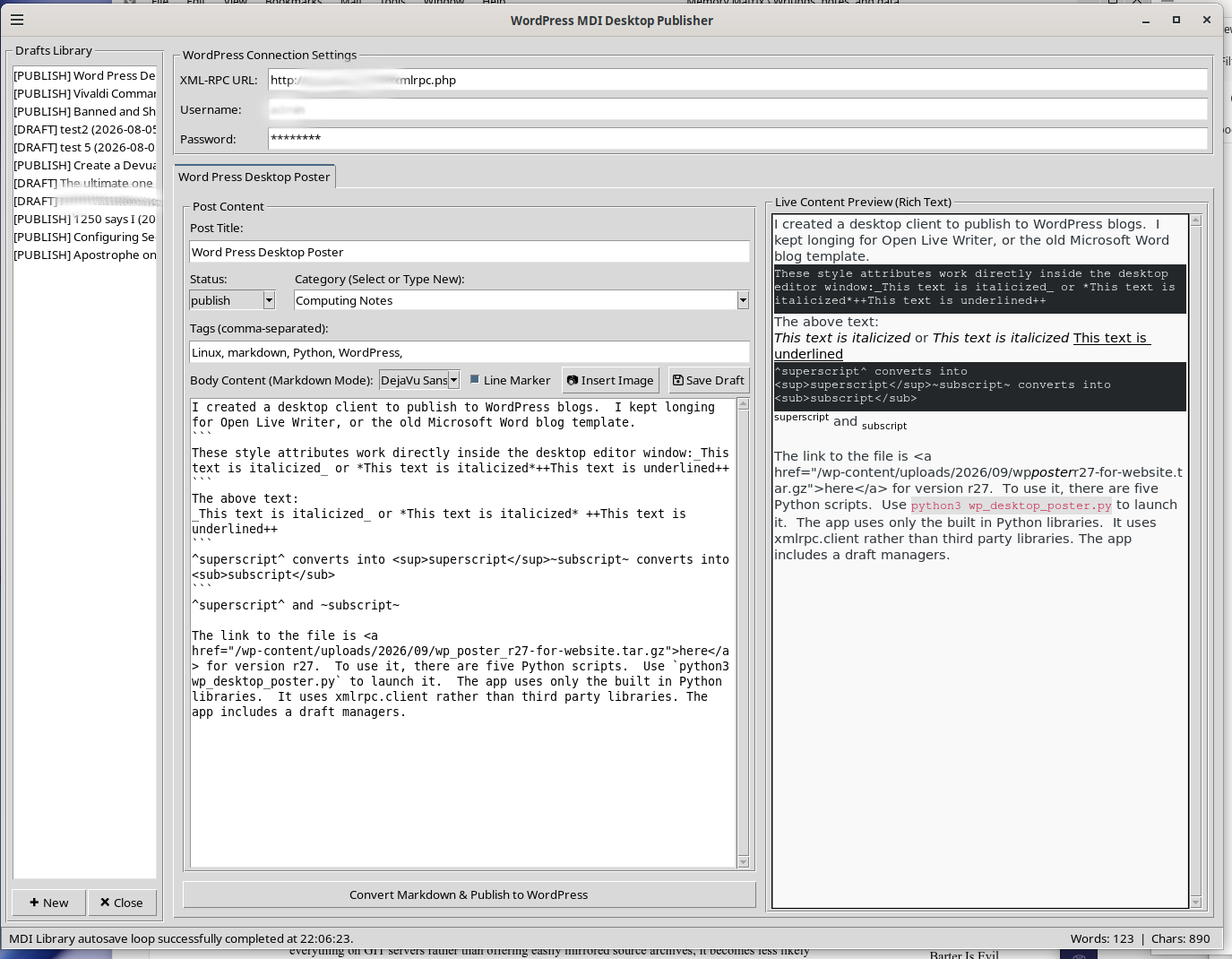
Zettelkasten and Writing with Joplin, BPG Fonts, Aider, Ollama, Deepseek r1 14B

December 28th, 2025 – 2:08 pm
Categorized as Computing Notes
URI: https://memorymatrix.cloud/archives/2672.html

This is my first attempt at weekly posts. I created an organizational schema and setup the files to begin the work. One of the things this week that I accomplished was the use of Aider to create a rapid prototype of a paired comparison analysis tool that works on the console in any operating system that uses Python. I used Ollama with Deepseek R1 14B running locally as the backend model. The code for version 25.26.12.20153 is accessible on my website.

The idea of creating an economics website with a spiritual element began to intrigue me quite some time ago. It satisfies several stipulations related to the use of my time in the future. After some experimentation, adding images via Zettlr, which is the word processor that I am using, is cumbersome. I could add them another way or in another program, but this program inspires me to write. I have finally settled on simply using Joplin because I am aging daily and have less time than in the past due to my long commute.

Part of my inspiration for this post today results from the 27 December 2025 issue of Coffee and Covid by Jeff Childers. In that issue, he details his writing and organization process. I have several hundred megabytes worth of notes in Joplin.  I migrated many notes to Obsidian, but now I want them back. With Joplin, one may right click a note and copy a markdown link to use within another note.  That procedure is less efficient than Zettlr’s ability to start typing a colon and then select the note from a list that filters the notes based on what one types.  I changed font families to the following:

Editor font family: BPG Courier GPL&GNU

Editor Monospace font family: BPG Courier S GPL&GNU

Viewer and Rich Text Editor font family: BPG Serif GPL&GNU

This allows me to see a preview of my writing in a serif font which helps me write more effectively. Joplin automatically exports a backup of all the files in a single file daily.  I need a second machine configured to export these and individual files in case something happens and the collective archive file fails.


Paired Comparison Analysis

December 26th, 2025 – 8:53 pm
Categorized as Computing Notes
URI: https://memorymatrix.cloud/archives/2667.html

This is a simple paired comparison analysis to compare a list of items amongst themselves to find a ranking for decision making.


#!/usr/bin/env python3
#######################################################
# Paired Comparison Analysis
# webmaster@memorymatrix.cloud
# 25.26.12.2053
#######################################################

import sys
import logging


def create_lists(list_a=None, list_b=None):
    """
    Create two lists of items from user input

    Args:
        list_a (list): Initial items for List A (optional)
        list_b (list): Initial items for List B (optional)

    Returns:
        tuple: Two lists (A and B), populated with items

    Raises:
        TypeError: If invalid items are provided
    """
    try:
        if list_a is None:
            list_a = []
        if list_b is None:
            list_b = []

        # Populate List A if not provided
        while True:
            item = input("Enter an item for List A (press Enter to stop): ")
            if not item:
                break
            list_a.append(str(item))

        # Copy List A to List B
        list_b = list(list_a)

        logging.info("Lists created successfully")
        return list_a, list_b

    except KeyboardInterrupt:
        print("\nUser interrupted input")
        sys.exit(1)
    except Exception as e:
        logging.error(f"Error creating lists: {str(e)}")
        raise


def count_preferences(comparison_results):
    """
    Count how many times each item was preferred

    Args:
        comparison_results (list): List of tuples from compare_items()

    Returns:
        dict: Dictionary mapping items to their preference counts

    Raises:
        ValueError: If invalid results are provided
    """
    try:
        if not comparison_results:
            raise ValueError("No comparison results provided")

        # Initialize count dictionary
        counts = {}

        for result in comparison_results:
            preferred_item = result[2]
            if preferred_item == 1:
                counts[result[0]] = counts.get(result[0], 0) + 1
            elif preferred_item == 2:
                counts[result[1]] = counts.get(result[1], 0) + 1

        return counts

    except Exception as e:
        logging.error(f"Error counting preferences: {str(e)}")
        raise

def compare_items(list_a, list_b):
    """
    Compare unique pairs of items between two lists and store preferences

    Args:
        list_a (list): First list of items
        list_b (list): Second list of items

    Returns:
        list: Results of comparisons

    Raises:
        ValueError: If lists are empty or mismatched
    """
    try:
        if not list_a or not list_b:
            raise ValueError("Both lists must contain items")

        results = []


        # Generate unique pairs (a, b) where a is from A and b is from B
        # Skip comparisons where items are the same or already compared in reverse order
        for item_a in list_a:
            for item_b in list_b:
                # Skip self-comparisons and reverse comparisons
                if item_a == item_b or item_a > item_b:  # Using '>' to sort alphabetically
                    continue

                try:
                    preference = input(f"Compare {item_a} vs {item_b}: "
                                       f"Enter 1 if you prefer {item_a}, "
                                       f"2 if you prefer {item_b}: ")

                    if not preference.isdigit():
                        print("Invalid input. Please enter 1 or 2.")
                        continue

                    results.append((item_a, item_b, int(preference)))

                except KeyboardInterrupt:
                    print("\nUser interrupted comparison")
                    return results  # Return what we have so far

    except Exception as e:
        logging.error(f"Error during comparison: {str(e)}")
        raise
    return results

if __name__ == "__main__":
    """
    Main program entry point with command line arguments
    """
    try:
        # Configure logging
        logging.basicConfig(
            level=logging.INFO,
            format='%(asctime)s - %(levelname)s - %(message)s',
            handlers=[logging.StreamHandler()]
        )

        # Get items from command line or user input
        if len(sys.argv) >= 2:
            list_a = [str(sys.argv[1]), str(sys.argv[2])]
        else:
            print("No command line arguments provided.")
            first_item = input("Enter the first item for List A: ")
            list_a = [first_item]

        list_b, _ = create_lists(list_a=list_a)

        results = compare_items(list_a, list_b)

        # Get preference counts
        preferences = count_preferences(results)

        print("\nComparison Results:")
        for res in results:
            print(f"Comparing {res[0]} vs {res[1]} - Preferred: {res[2]}")

        print("\nPreference Counts:")
        for item, count in preferences.items():
            print(f"{item} was preferred {count} times")

    except IndexError:
        # Handle cases where lists are too short
        print("Error: Not enough items provided. At least two items required")
        sys.exit(1)
    except KeyboardInterrupt:
        print("\nProgram interrupted by user")
        sys.exit(0)


# Unit Tests
# to run this, go the source directory venv/bin folder, and use source ./activate
# then python3 -m pytest script-name.py
def test_create_lists():
    """
    Test create_lists function with different scenarios
    """
    from unittest.mock import patch

    @patch('builtins.input')
    def test_default_case(mock_input):
        mock_input.side_effect = ['apple', 'banana', '', 'berry']
        list_a, list_b = create_lists()
        assert len(list_a) == 3
        assert list_b == list_a

    @patch('builtins.input')
    def test_single_item(mock_input):
        mock_input.side_effect = ['test', '']
        list_a, list_b = create_lists()
        assert len(list_a) == 1
        assert list_b == list_a


def test_compare_items():
    """
    Test compare_items function with various scenarios
    """


def test_count_preferences():
    """
    Test count_preferences function with various scenarios
    """
    from unittest.mock import patch

    @patch('builtins.input')
    def test_valid_comparison(mock_input):
        mock_input.side_effect = ['1', '2']
        results = compare_items(['a'], ['a', 'b'])
        assert len(results) == 1

    @patch('builtins.input')
    def test_invalid_input(mock_input):
        mock_input.side_effect = ['3', '1']
        results = compare_items(['a'], ['a', 'b'])
        assert len(results) == 1

    def test_count_preferences():
        """
        Test count_preferences function with various scenarios
        """
        from unittest.mock import patch

        @patch('builtins.input')
        def test_valid_comparison(mock_input):
            mock_input.side_effect = ['1', '2']
            results = compare_items(['a'], ['a', 'b'])
            preferences = count_preferences(results)
            assert len(preferences) == 1
            assert preferences.get('a', 0) == 1

        @patch('builtins.input')
        def test_multiple_comparisons(mock_input):
            mock_input.side_effect = ['2', '1']
            list_a = ['apple', 'orange']
            list_b = ['pear', 'tomato']
            results = compare_items(list_a, list_b)
            preferences = count_preferences(results)
            assert len(preferences) == 2
            assert preferences.get('pear', 0) == 1
            assert preferences.get('apple', 0) == 1

Thoughts on Aider

December 26th, 2025 – 7:05 pm
Categorized as Computing Notes
URI: https://memorymatrix.cloud/archives/2657.html

Well it has taken a little bit, but thanks to Getting Things Gnome! (GTG!), I installed Aider and Ollama and began some vibe coding. Prior to this, I have written data science code in Python and R and produced some GUI applications for Linux. I also developed some software that is in the Windows store, and produced software for the Windows desktop over the past 15 years or more. The applications that I have in the Microsoft store preceded the advent of the large language model coding assistants.

For the Aider Model, I am using Ollama and Deepseek r1 14B runing locally using the CPU. I have a 4 GB Geforce 1650 Super, which is not going to handle very much advanced neural net math. I have used GPT4ALL with unlimited CPU consumption and it caused the system to halt due to overheating. To prevent system overheating with GPT4ALL, I had to set a limit of 3 or 4 cores. Ollama has not done that. Ollama defaults to one thread per physical core, which is very helpful. The system runs run at the top of the thermal limit when waiting for Ollama/deepseek, but it works in a very stable manner. Many times it runs several degrees below the upper critical limits. This is also a function of my system itself which has upgraded CPU from the manufacturer’s installed one, while using the original CPU cooler due to space constraints.

My goal is to replace a very large spreadsheet that contained all of the items that I had on my wish list at a specific point in time. I had trouble knowing which item to handle first when there were competing priorities such as home maintenance, vehicle maintenance, vehicle luxury upgrades, vehicle necessities, and so on. I then selected between each item and counted the number of wins for each item. As an example, one item that was on my list for a while was a pack of respirators for working with sawdust, flakes, and similar debris. I had kept putting it off because the projects I was planning to use it with were always on a back burner yet to occur. However, it was one of the top picks because when compared against 59 other items, it received the most votes. One might say that was to be expected. Yet another suprise was the backup collection of motor oil so that rather than only having the next oil change worth of oil, I would now have the next two changes of oil.

I am not sure on what to do with the output code. I was thinking about putting it on GitHub but it seems that GitHub is turning into something akin to the single repository of software code online and the master of it all. That unsettles me somewhat, so once I get the initial version working I will consider my options.

My process broke down regarding search and replace blocks, and I had to revisit some earlier documentation of outputs. The way I do this simple. I save each revision in a timestamped notebook entry in either QOwnNotes or Gnote. Gnote is fast and easy, but QOwnNotes allows me to input images and draft these blog entries.

QOwnNotes and Zettelkästen

December 17th, 2025 – 9:07 pm
Categorized as Computing Notes
URI: https://memorymatrix.cloud/archives/2648.html

I love Joplin, but Joplin seems more like an incredible file cabinet and set of bookshelves. It is possible to link from one note to another, but a Joplin icon appears by that link in the text. It can also be cumbersome to navigate between multiple documents while working on one. Joplin recently added the ability to open documents in a child window which really makes the problem wonderful. QOwnNotes includes an excellent Markdown Cheatsheet that one can open in a tab. I am looking for a solution for the extensive file cabinet, and one for the rough drafting. QOwnNotes syncs with Nextcloud.

chmod +x QOwnNotes-x86_64.AppImage 

This .AppImage file not extract via the normal method. Running the AppImage works, but an extraction to squash-fs fails as it leaves nothing in the folders. It is necessary to run it directly from the .AppImage file.

When creating new notes, they automatically receive file names like Note 2025-12-17 20h10s34. From this, I remove the word note and add a title and tags so that the name may serve me well in the future.

Nothing can replace Joplin. Joplin recognizes the reference style links of QOwnNotes, and the preview with preformatted text fields for code copy-pastes perfectly into WordPress. Joplin is a definite winner. Especially with the MDI interface.

I tried all these apps, and settled back on Joplin, but Zettler is fun to type in. Zettlr is for making a book, and Joplin is for making a reference library. All of this experimentation leads to me deciding to use Joplin better. Zettlr makes it easy to link existing notes by simply starting to type. The readability feature in Zettlr is also very helpful and helps me focus. Joplin can also use Zettlr’s footnote features.

This entry may have meandered a bit. I have settled on Joplin or organizing and remembering and and Zettlr for crafting. I will post completed pieces via Joplin preview to WordPress.

This post used Joplin 3.4.12 on Debian 12 and Zettlr 3.6.0.

Picking a tool for zettelkasten

December 15th, 2025 – 8:11 pm
Categorized as Computing Notes
URI: https://memorymatrix.cloud/archives/2643.html

It is a very challenging thing to pick a tool to invest time into building a personal knowledgebase. I have used numerous tools over the years and collected a huge number of documents and notes. Logseq integrates with Zotero which might prove useful due the gigabytes of material that I have stored there. My plan was always to start writing sometime in the future. All of that material would be analyzed, quoted, and used to support some argument.

Zettlr offers the most typerwriter like view, and lacks some of the more advanced features. It is therefore the one that I am going to select for document construction. The simplicity and feature set of the program has proven itself conducive to my needs.

Joplin will continue to play a role as a my giant syncronized and backed up file cabinet.

Discovering Zettelkästen

December 14th, 2025 – 9:14 pm
Categorized as Computing Notes
URI: https://memorymatrix.cloud/archives/2634.html
I discovered Trilium.  The license is great.  The software is mind-blowing.   I found it as part of my desire to migrate away from Obsidian. They have a repository at https://github.com/TriliumNext/Trilium.

Via an advertisement there, I discovered https://www.warp.dev/code which looks like an most incredible resource.   That may be how applications like Trillium have such incredible documentation and coding. There are 271 contributors, and the documentation and features are incredible and beyond anything else I have seen in a note taking application. This piece of software and the mind blowing quality of the documentation and feature sets has made me reconsider Deepin with the local integration and Deepin IDE.

The problem is that the Trillium notes are in a database, whereas Obsidian’s are in mark down. I discovered Zettlr, whose notes are also in Markdown, and discuss that below..

I discovered https://www.zettlr.com/ from a discussion at https://www.xda-developers.com/found-open-source-app-like-obsidian-except-its-better/.

From that, I discovered Zettelkästen. More specifically, I learned what it was via Zettlr. The Zettelkasten method involves cross-referencing one’s knowledge base so that one can find relationships between concepts and create a living knowledgebase with minimal forgetfulness.1 Zettlr contains the ability to insert snippets using variables for the date, time, and unique ID numbers. This is something that I had been trying to do of my own accord using various applications over the years.

Obsidian has a great preview that one can use to directly copy to blogs and product great entries with links intact. It looks like Obsidian took Trilium’s preview and Zettlr’s markdown and file management to create their application. All three share a very similar sidebar and navigation motif.

I consider Obsidian to be like many Minecraft modification developers in recent years. They take a lot of permissively licensed opensource software and then wrap it in an all rights reserved vague statement and do not share any code or redistribution rights. Many minecraft mods say all rights reserved, which is not really a license. They incorporate and link other libraries. Java itself uses a classpath exception so they do not become GPL because of that, however when the mods rely on other libraries that are GPL, such as other mods, and then hide behind “all rights reserved” it really breaks my heart. One would think they would want their mods available at many different sites and not only the website they uploaded them too.

Electron is MIT licensed. This is not an accusation. This is my opinion. I suspect Obsidian used Trilium notes and possibly Zettlr code and is not compliant with the GPL. That is my opinion only. Trilium notes even comes with server software. The Obsidian Webclipper is great. Yet it irritates me to no end that an open source foundation, like Electron, and possibly some of the precursors of Obsidian, made the way to a piece of software that says you cannot even redistribute the binaries. They could go out of business, but with binaries around, people could use that great software for ages. The situation is contrary to the Linux ethos. I could be wrong, and they pulled their code from Memos, which has a very similiar interface. The Memos code is at https://github.com/usememos/memos. Memos is another project sponsored by Warp. I am not accusing Obsidian. Logseq is another GPL project with a great deal of similar features and buttons, and is available at https://github.com/logseq/logseq.

I am stating that it is very strange, and perhaps some AI agents are using GPL code and the downstream products are not GPL as they should be, but that is my opinion only.


  1. https://docs.zettlr.com/en/advanced/zkn-method/, retrieved December 14 2025

Indeed implements arbitration

December 12th, 2025 – 11:26 pm
Categorized as America Notes
URI: https://memorymatrix.cloud/archives/2624.html

Indeed emailed me on 3 September 2025 with details that they changed their terms of service.  This is what their email said:

“Hello,
We’re emailing you about important updates to our Terms of Service (“Terms”)[4].
*We encourage you to read our updated Terms in full.* Here are some key updates for your convenience:
* *Dispute Resolution Updates for users located in the United States:*
* *We’ve included important dispute resolution provisions that govern how to resolve disputes between you and Indeed, and between you and other Indeed users.*
* *Notably, the Terms include an agreement to arbitrate, with limited exceptions. This means that you agree to resolve any past, present, and future disputes concerning Indeed’s services individually, via binding arbitration before an arbitrator, and not through litigation in court with a jury.*
* *In the Terms, you can also find information about the process, eligibility, and deadline for opting-out of arbitration, if you so choose.*
* Improved Structure and Clarity: We’ve reorganized our Terms to make them easier to read and understand.
Your continued use of our Site and services means you agree to our updated Terms. To view and exercise your personal data rights, visit this section of our Privacy Policy[5].
Thank you for using Indeed!”

No doubt this is because the Supreme Court of the United States made it equally possible for Caucasians to sue for discrimination and they want to block the class action lawsuits they likely deserve. I have not logged in since that date, since I do not accept an arbitration agreement with them.  Agreeing to have no class action with a primary gatekeeper to employment is not a wise decision.  Countless people were part of class actions against discriminators such as American Freight and others.

It is not my intent to dwell on the past.  This is here as a mile marker.

Joplin AppImage Integration

December 7th, 2025 – 5:05 pm
Categorized as Computing Notes
URI: https://memorymatrix.cloud/archives/2604.html

Joplin is the beautiful open source replacement for Evernote. Once upon a time, Evernote was a dream app, but then they sent out an atrocious terms of service change after turning their user interface into drab garbage compared to the old colorful beauty that existed in version 4 and before. Joplin is fully functional and syncs on every platform. They also provide a pure APK for download so that one can install it on LineageOS or other nongeminized Android system.  It offers full digital sovereignty.

One helpful tip that I spent a long time searching before learning, is that you can customize an image per notebook name, by right-clicking on the notebook, choosing edit, and then selecting an emoji.  Each notebook can have a different emoji as the icon.

Here is the procedure to integrate it into the Linux desktop. Notably, the icon is still the beautiful blue icon, and not the atrocious black and white one that has taken center stage on Windows versions of the app.

chmod +x Joplin-3.4.12.AppImage 
./Joplin-3.4.12.AppImage --appimage-extract
mv squashfs-root joplin-3.4.12
mv joplin-3.4.12 $HOME/Apps
cp $HOME/Apps/joplin-3.4.12/joplin.desktop $HOME/.local/share/applications
kate $HOME/.local/share/applications/joplin.desktop

Edit the file to say the following, but with $HOME replaced by the actual home directory of the relevant user:

[Desktop Entry]
Name=Joplin
Exec=$HOME/Apps/joplin-3.4.12/joplin --no-sandbox %U
Terminal=false
Type=Application
Icon=$HOME/Apps/joplin-3.4.12/joplin.png
StartupWMClass=Joplin
X-AppImage-Version=3.4.12
MimeType=x-scheme-handler/joplin;
Comment=Joplin for Desktop
Categories=Office;

Local download links:
Joplin-3.4.12 AppImage | Source as of 7 December 2025: joplin-dev-25.12.7

The last version that worked on OSX Catalina was 3.2.12.

LibreWolf 145 & Integrated AppImage

November 23rd, 2025 – 2:24 pm
Categorized as Computing Notes
URI: https://memorymatrix.cloud/archives/2573.html

LibreWolf is a fork of Firefox that removes many of Mozilla’s bad decisions.1 A mirror of LibreWolf 145.0.1-2.x86_64 appimage is available here. Debian stable requires one to use a format other than the LibreWolf repo because as of 23 November, 2025 their site says the following:

sudo apt update && sudo apt install extrepo -y
sudo extrepo enable librewolf
sudo apt update && sudo apt install librewolf -y

Extrarepo exists only in Sid, which makes it unsuitable for Bookworm, or other stable Debian editions.  Adding Sid repos can turn Debian into something akin to a rolling distribution but it can cause problems if one wants older software.

To integrate the linked appimage into the operating system, take the following actions.2

./LibreWolf.x86_64.AppImage --appimage-extract
mv squashfs-root librewolf-145.0.1-2
mv librewolf-145.0.1-2 $HOME/Apps
cp $HOME/Apps/librewolf-145.0.1-2/io.gitlab.LibreWolf.desktop $HOME/.local/share/applications

Then, modify the four lines in $HOME/.local/share/applications/io.gitlab.LibreWolf.desktop that say exec. Those lines need to reflect the path where the executable resides.

I was working on this with Obsidian and preparing to archive the appimage on this website when I ran into a snag. The Obsidian .desktop referenced the AppRun from the AppImage whereas Librewolf referenced the executable named librewolf. After resolving this, I checked the licenses. Obsidian distributes software that is under the Apache License. That license allows one to add other requirements to their additions to the software. Their additional term is that you may not redistribute their software. They are even more onerous that IBM was with Lotus Symphony 3. Lotus Symphony 3 was an office suite built on Open Office that had an excellent tabbed document interface. It was a beautiful interface that Open Office should have incorporated, but for some reason they did not. The Symphony 3 license allows you to redistribute on physical disc to your friends and family, but not via internet website. Obsidian says no to redistribution at all. I was using Obsidian extensively on all my mobile devices, but will have to discontinue using it now. I have no interest in building open source machines with open source operating systems and having software that does not allow you to mirror it.

./Obsidian-1.10.3.AppImage --appimage-extract
mv squashfs-root Obsidian-1.10.3
mv Obsidian-1.10.3 $HOME/Apps
cp $HOME/Apps/Obsidian-1.10.3/obsidian.desktop $HOME/.local/share/applications

Modify the exec line in $HOME/.local/share/applications/obsidian.desktop to reflect the path where the AppImage contents appear. The exec should point to the application binary and not the AppRun file. e.g. $HOME/Apps/Obsidian-1.10.3/obsidian

I will leave this here for memory and education, but will discontinue the use of Obsidian since its future as an ongoing concern is limited to their availability of their website as a distribution channel. That does not bode well. Symphony 3 (1.3 on Linux) is nearly extinct, but one can still run it on old virtual machines.

  1. Mozilla’s strategic direction seems to be toward operating as an advertising company that uses the software clients themselves as the vehicle for advertisements and user data rather than websites and advertising platforms showing advertisements on those sites.
  2. I use $HOME/Apps and $HOME/Applications to install programs like this rather than opt so that I can easily modify files or use them in backup scripts. Typically Apps contains smaller programs, and Applications contains larger ones such as GPT4ALL which consumes tens of gigabytes.

My refined direction is digital sovereignty

November 2nd, 2025 – 9:37 pm
Categorized as Computing Notes
URI: https://memorymatrix.cloud/archives/2562.html

My refined direction is digital sovereignty via the old paths with a goal of writing at least one article per week. The complexity of the articles will change because many projects are planned for the long term, but getting started on them takes a very long time..

I setup a RAID 5 in my old computer using new Western Digital 2 TB drives. In this case, the old machine is a Hewlett Packard Z600. The computer is very old in computer years. It has 12 Cores via dual Intel(R) Xeon(R) CPUs of model X5675 at 3.07GHz. [1] The prices on these on eBay have gone through the roof for old desktops computers of many types. One can easily find conversations about hard drives from three or four years discussing prices of $15 per terabyte. Now they are over $30 per terabyte.

I had purchased a used 2TB drive to use as Samba share space in the machine, and it went bad and locked into read-only mode within about a year. In deciding whether to buy used or new drives, I came to the conclusion that on an annual basis, one ends up spending the same or more via used drives than they do with new drives. Were one to purchase used drives, twice as many need to be acquired which eliminates the financial benefit while increasing one’s stress.

I could not remember my Vivaldi sync password despite creating the account only a couple of days ago. I tried several times to remember it, and then connections to vivaldi.net started timing out. It seems to me that they blocked me. If that had happened with the ability to access my email, it would have been a real issue. Because of this, I need to work on a more digitally sovereign approach here.

The extensions I use for Vivaldi include the Obsidian Web ClipperJoplin Web Clipper, Zotero Connector, floccus bookmarks sync, SingleFile, and uMatrix.

For LibreWolf, my extensions are Obsidian Web Clipper, SingleFile, Copy PlainText, floccus bookmarks sync, Joplin Web ClipperSearch by Image, Tree Style Tab, uMatrix, Undo Close Tab, and Web Archives.

  1. https://www.ebay.com/sch/179/i.html?_nkw=z600. Reviewed 11/1/2025, (Prices ranged from a single poorly described one for $160 with free shipping to $250 and 300 plus almost triple digit shipping costs. There were two pages total, and the entire last page was filled with $800 or $900 or even $1200 systems advertising things like 4 monitors for trading, 8 monitors, for trading and the like. The second best of all was 249.95 with free delivery.)

Running old versions of Java Minecraft

October 22nd, 2025 – 5:27 pm
Categorized as Computing Notes
Tagged as , ,
URI: https://memorymatrix.cloud/archives/2557.html

One source for the Java 8 (1.8) runtime is the Oracle Archives page.  Another helpful one is the standard Java download page for the desktop Java Runtime Environment, JRE.

I downloaded the Linux x86 (32-bit) version even though the host is a 64bit Linux.  The reason for that is that at some point in the point in the past Minecraft and various mods and the Forge loader required a 32 bit Java virtual machine (JVM).  It was so problematic to install both 64bit and 32bit via the package managers and manually configure them, that I developed a practice of installing 32-bit Linux so that the Java in the repository would also be 32bit and then everything would be fin.   It was much easier to run 32-bit Java and 32-bit Wine on a 32-bit operating system than reconfigure everything and try to switch between them depending on what was running.

I extracted the zip file from Oracle and then ran the Minecraft server instance with the following command.

home/username/Downloads/Java8_i586/jre1.8.0_461/bin/java -jar /home/username/Minecraft_x86/instances/b1.7.3/b1.7.3.251019/b1.7.3.jar nogui

Running the program that way worked very well.

.ssh config for Windows and Linux

October 18th, 2025 – 7:26 pm
Categorized as Computing Notes
Tagged as , ,
URI: https://memorymatrix.cloud/archives/2548.html

The ~/.ssh/config file works for OpenSSH on Windows and for SSH on Linux.

To prevent disconnects, add the keepalive messages for all hosts. For specific hosts that use a specific key type, such as RSA on CentOS 6, add the specific algorithm via the HostkeyAlgorithms + functionality. To add a private key for SSH key logins, add the IdentityFile line. it is possible to allow the ssh-rsa algorithms on both outgoing and incoming connections for all hosts. The PubkeyAcceptedAlgorithms functionality is which key can be used to log into the host the config file sits on. the ForwardX11 setting sits on Linux hosts and not on Windows..

example ~/.ssh/config

IdentityFile ~/.ssh/Minecraft-Micro.pem

Host *
    ServerAliveInterval 40

Host 192.168.0.0
    HostkeyAlgorithms +ssh-rsa
 
ForwardX11 yes
HostKeyAlgorithms +ssh-rsa
PubkeyAcceptedAlgorithms +ssh-rsa

Switch a data volume on Linux

October 17th, 2025 – 7:10 pm
Categorized as Computing Notes
Tagged as
URI: https://memorymatrix.cloud/archives/2540.html

How to move /var/www/html/mydata/ to a new disk:

1. fdisk /dev/nvme4n1
     1.i. create a new DOS partition and write it to disk
2. mkfs -t ext4 /dev/nvme4n1p1
3. lsblk -f (and copy the UUID for use in FSTAB)
    3.i. a0e2e1e7-4034-4876-a005-ae5fcca39751
4. mount /dev/nvme4n1p1 /mnt
5. shopt -s dotglob
6. rsync -aulvXpogtr /var/www/html/mydata/* /mnt
7. edit /etc/fstab and replace the UUID for the data storage drive
8. mount -av to test
9. reboot

[_] Expand 7 to show fstab options

Minecraft Survival Multi-Player at memorymatrix.cloud

September 6th, 2025 – 10:26 pm
Categorized as Gaming Note
Tagged as
URI: https://memorymatrix.cloud/archives/2471.html

You can play Minecraft Survival Multiplayer. Review the game server’s Changelog to see recent changes.  To play Minecraft, open the game, choose multiplayer, click “Add Server” and type memorymatrix.cloud in the Server Address field. Memory Matrix SMP is a Java-version Minecraft with regularly occurring allowances.   Randomly enchanted books are given out every couple of hours.  Other allowances may occur by request.  For some folks, emeralds are issued, for others name tags, an some even receive XP every 36 minutes.

A view of Jack O Lantern town near world spawn on Memory Matrix SMP

There are no guarantees regarding the server and you play at your own risk.  The server’s status is available from Minecraft Server Status by Anders G. Jørgensen, MCS, & Minehost, among others.

Debian 12 Sources

September 6th, 2025 – 8:38 pm
Categorized as Computing Notes
URI: https://memorymatrix.cloud/archives/2450.html

This is a listing of Debian sources for future reference.  Debian maintains  an archive of older versions on the Distribution Archives website.  It may be necessary at some point in the future to change the bullseye information below so that it points to the distribution archives.

/etc/apt/sources.list.d/vivaldi.list

### THIS FILE IS AUTOMATICALLY CONFIGURED ###
# You may comment out this entry, but any other modifications may be lost.
deb [arch=amd64] https://repo.vivaldi.com/stable/deb/ stable main

End of File


/etc/apt/sources.list

                                                
#deb cdrom:[Debian GNU/Linux 12.4.0 _Bookworm_ - Official amd64 NETINST with firmware 20231210-17:56]/ bookworm main>

deb http://deb.debian.org/debian/ bookworm main non-free-firmware
deb-src http://deb.debian.org/debian/ bookworm main non-free-firmware

deb http://security.debian.org/debian-security bookworm-security main non-free-firmware
deb-src http://security.debian.org/debian-security bookworm-security main non-free-firmware

# bookworm-updates, to get updates before a point release is made;
# see https://www.debian.org/doc/manuals/debian-reference/ch02.en.html#_updates_and_backports
deb http://deb.debian.org/debian/ bookworm-updates main non-free-firmware
deb-src http://deb.debian.org/debian/ bookworm-updates main non-free-firmware

# Debian 12 "bookworm" dropped by Python2.  Adding Debian 11 "bullseye"
# removed bullseye non-free-firmware from each of the below bullseye lines
# due to errors on 7/24/25
deb http://deb.debian.org/debian/ bullseye main
deb-src http://deb.debian.org/debian/ bullseye main
deb http://security.debian.org/debian-security bullseye-security main
deb-src http://security.debian.org/debian-security bullseye-security main
deb http://deb.debian.org/debian/ bullseye-updates main
deb-src http://deb.debian.org/debian/ bullseye-updates main


# added 7/24/25
# https://fasttrack.debian.net/


deb http://fasttrack.debian.net/debian-fasttrack/ bookworm-fasttrack main contrib
deb http://fasttrack.debian.net/debian-fasttrack/ bookworm-backports-staging main contrib


# This system was installed using small removable media
# (e.g. netinst, live or single CD). The matching "deb cdrom"
# entries were disabled at the end of the installation process.
# For information about how to configure apt package sources,
# see the sources.list(5) manual.

End of File

Changelog for Memory Matrix SMP

July 29th, 2025 – 8:04 pm
Categorized as Gaming Note
Tagged as ,
URI: https://memorymatrix.cloud/archives/2401.html

This post serves as the changelog for the server and will receive future updates posted to it.

Legend:

[+] = Added
[*] = Changed
[^] = Moved
[=] = No Changes
[x] = Deleted
[!] = Bugs
[_] = To Do
[>] Migrated
[<] Migrated

29 July 2025:

[*] Random Books and Gilt Books: changed sweeping to sweeping_edge because the name of this enchantment changed from its historical name [1]

1. Java Edition 1.20.5, Minecraft Wiki

The 1881 Westcott and Hort Critical Text

July 13th, 2025 – 12:37 pm
Categorized as Book notes
URI: https://memorymatrix.cloud/archives/2322.html

The 1881 Westcott and Hort Critical Text is now available on this site. This contains their critical text and the Authorized Version of 1611, according to the front matter of the book.  Their title includes the words "original Greek", but it very much is not the original Greek since it includes capitalization, diacritics, punctuation, hyphens, bracketed words, and spacing.

image

A Stephanus Greek, KJV, and ERV interlinear

July 12th, 2025 – 6:36 pm
Categorized as Book notes
URI: https://memorymatrix.cloud/archives/2302.html

This site now has a copy of The Parallel New Testament Greek and English from Oxford University Press, 1896.  This text contains the Authorized Version (KJV), the English Revised Version, and a Greek text based the third edition of Stephanus published in 1550.  The two streams of Greek texts are the received stream via Erasumus/Beza/Elzevir/Stephanus/Scrivener and the critical stream via Westcott/Hort/Tischendorf.  Texts within the same stream can differ, and other than Erasumus, I prefer the Stephanus.  The reason is that Erasmus’ text lacked verse numbers and Stephanus added them.  Stephanus is thus the oldest received text stream associated with the time of the publication of the KJV.  Scrivener was late to the game, and while it is nice to have a newer Greek text in that stream, any new Greek text copywritten after the arrival of Tischendorf puts me off.

This is the Textus Receptus, also called the received text.

There are some differences in received text versions, some which are significant such as without where with should be and vice versa. [1]

Sumatra PDF reader (Local mirror of 3.5.2 64-bit) works wonderfully for viewing these kind of books. The following screenshot was taken with “Book View” on, and “Scroll Pages Continuously” activated. Librera is excellent for Android.

image


1. “Which Edition of the Received Text Should We Use?” Accessed July 12, 2025. https://www.wayoflife.org/reports/which_edition_of_received_text_should_we_use.html.

Check the source text

July 6th, 2025 – 4:30 pm
Categorized as Spiritual notes
URI: https://memorymatrix.cloud/archives/2277.html

One problem that a person studying the Bible will encounter rears its ugly head in this example. That is the false word. In this case, the word is gentiles.   The screenshot below of a website shows a Greek text and an English text of Amos 9:12.  The English text presented uses the word gentiles.  The Greek word highlighted on the right is ἔθνος.  The word means something like a province, tribe, class of men, caste, trade association, guild, or race.  The key component being that is an aggregate body.  The plural of it would then be something like nations or peoples.  E.g. the peoples of the Levant, or the nations of the Orient.  It refers to flocks of bees, flies, and birds.

The word gentiles is a Latin word that become an egregore.

image
Figure a [1]


The following example (emphasis mine) shows another difference where ethnos does not mean others in a binary ideological sense of the ideologue’s self and the abstracted other. It means preached unto the tribes, nations, or groups of people.  The following is from 1st Timothy, Chapter 3.

And without controversy great is the mystery of godliness: God was manifest in the flesh, justified in the Spirit, seen of angels, preached unto the Gentiles, believed on in the world, received up into glory.

καὶ ὁμολογουμένως μέγα ἐστὶ τὸ τῆς εὐσεβείας μυστήριον· Θεὸς ἐφανερώθη ἐν σαρκί, ἐδικαιώθη ἐν Πνεύματι, ὤφθη ἀγγέλοις, ἐκηρύχθη ἐν ἔθνεσιν, ἐπιστεύθη ἐν κόσμῳ, ἀνελήφθη ἐν δόξῃ. [2]

The thought form that develops from the cultic use implies that Jesus was preached to a solitary outgroup as opposed to a ideology based ingroup. It posits the existence of two groups only when the meaning of the word covers multiple groups rather than an ideological binary. ἔθνος appears in the Wiktionary with a useful analysis.

The 1885 English Revised version uses the word nations.

And without controversy great is the mystery of godliness; He who was manifested in the flesh, justified in the spirit, seen of angels, preached among the nations, believed on in the world, received up in glory. [3]

This is from the Geneva Bible.

image

And without controuerfie , great is the myſterie of godlines. which is, God is manifetted in the flelly, tuttified  in the Spirit, feene of Angels, preached unto the Gentiles, beleeued on in the Would, and receined up in  glozie [4]

Young’s Literal Translation of 1863 renders the verse beautifully.  While looking at the verse is notable to see the phrase "seen by messengers" as opposed to "seen by angels" which appears in many versions.  Angels is another word that became an egregore but that is a topic for another memo.

and, confessedly, great is the mystery of godliness, God was manifested in flesh, declared righteous in spirit, seen by messengers, preached among nations, believed on in the world, taken up in glory. [5]

All of these versions add punction that is not present in the original scriptures.  The original scriptures contain no commas and semi-colons. The Geneva Bible contains an incredible amount of commentary in the margin.

The Interlinear from George Ricker Berry, PH.D. includes many punctuation marks that do not appear on images of original manuscripts. They appear even in the Greek portion of his interlinear text.  The following shows 1 Timothy, Chapter 3.  The word the shows the placement in the later work where the same word appears in brackets to indicate the modern translator/scribe added it to the text.  Three versions appear below.  The top version is the one in the authorized version and the second is the English translation that appears under the words in Greek in this book.

And without controversy great is the mystery of godliness: God was manifest in the flesh, justified in the Spirit, seen of angels, preached unto the Gentiles, believed on in the world, received up into glory.

καὶ ὁμολογουμένως  μέγα ἐστὶν τὸ τῆς εὐσεβείας μυστήριον θεός" ἐφανερώθη ἐν σαρκί, ἐδικαιώθη ἐν πνεύματι, ὤφθη ἀγγέλοις,. ἐκηρύχθη ἐν ἔθνεσιν, ἐπιστεύθη ἐν κόσμῳ, ἀνελήφθη ἐν δόξῃ.

And confessedly great is the of piety mystery god was manifested in flesh was justified in the spirit was seen by angels was proclaimed among the nations was believed on in the world was received up in glory [6]

The Oxford University Press’s version incorporating the Scrivener text of 1881 has the following on page 909.

ἑδραίωμα τῆς ἀληθείας  καὶ  ὁμολογουμένως μέγα ἐστὶ τὸ τῆς εὐσεβείας μυστήριον ὃς ἐφανερώθη ἐν σαρκί  ἐδικαιώθη ἐν πνεύματι  ὤφθη ἀγγελοις  ἐκηρύχθη ἐν ἔθνεσιν  ἐπιστεύθη ἐν κόσμῳ  ἀνελήφθη ἐν δόξῃ [7]

And without controversy great is the mystery of godliness; He who was manifested in the flesh, justified in the spirit, seen of angels, preached among the nations, believed on in the world, received up in glory. [3]

And without controversy great is the mystery of godliness: God was manifest in the flesh, justified in the Spirit, seen of angels, preached unto the Gentiles, believed on in the world, received up into glory. [8]


1 I Saw the Lord Standing on the Altar: And He Said, Smite the Mercy-Seat, and … AMOS / ΑΜΩΣ9 – Bilingual Septuagint.” Accessed July 6, 2025. https://www.ellopos.net/elpenor/greek-texts/septuagint/chapter.asp?book=32&page=9.

2. "Ch 3 – To Timothy 1 – The New Testament.” Accessed July 12, 2025. https://www.ellopos.net/elpenor/greek-texts/new-testament/timothy_1/3.asp.

3. “Revised Version with Apocrypha (1895) 1 Timothy 3.” Accessed July 12, 2025. http://memorymatrix.cloud/rv/1TI03.htm.

4.  http://memorymatrix.cloud/wp-content/uploads/2024/10/Holy-Bible-Geneva-Bible-1579.pdf#page=1181

5. http://memorymatrix.cloud/wp-content/uploads/2024/03/The_Holy_Bible_tr_by_Robert_Young_163_pre_Westcott-Hort_complete_with_Revelation.pdf#page=769

6. http://memorymatrix.cloud/wp-content/uploads/2024/10/The_interlinear_translation_greek_av_george_ricker_berry.pdf#page=558

8. King James Version + Apocrypha 1 Timothy

The king as god in the KJV

July 6th, 2025 – 4:05 am
Categorized as Spiritual notes
URI: https://memorymatrix.cloud/archives/2269.html

A discrepancy appears in the King James’ Version and other Masoretic Text bibles relative to the Septuagint version in the book of Jeremiah (ΙΕΡΕΜΙΑΣ). The Masoretic Text derived bibles equate the king with the deity.  The term LORD of hosts supposedly represents a place in the original language texts where the divine name appears.  That may not always be the case.  There is a popular online Bible translation which lists the papyrus from which it derives each translation.  One can check the papyrus for the divine name in places where that translation says LORD and there is no instance of the divine name on the original document.    For this particular instance, the difference appears in these three quotations.

1885 RV: Moab is laid waste, and they are gone up into her cities; and his chosen young men are gone down to the slaughter, saith the King, whose name is the LORD of hosts. [1]

The King James’ Version is similar to the English Revised Version.

KJV: Moab is spoiled, and gone up out of her cities, and his chosen young men are gone down to the slaughter, saith the King, whose name is the LORD of hosts. [2]

The Septuagint version does not equate the king with the deity.

LXX: 16. Moab is ruined, even his city, and his choice young men have gone down to slaughter. 16 The day of Moab is near at hand, and his iniquity moves swiftly to vengeance.[3]

This question particularly interests me.  Perhaps twenty years or more ago, an exposition on the subject of the old testament included someone explaining that old testament religion was an abstraction of the king, and essentially a form of worshipping the king as a military commander.  That description really inspired me to research and study more.

Amos 4:13 negates the concept of a king occupying the conceptual space of the deity as does the three angels’ message in the book of Revelation.


1. Revised Version with Apocrypha (1895) Jeremiah 48
2. King James Version + Apocrypha Jeremiah 48
3. Brenton Septuagint Translation Jeremias 31

Batch file with date and time for zipping

May 25th, 2025 – 10:07 am
Categorized as Computing Notes
URI: https://memorymatrix.cloud/archives/2125.html

WinRAR offers great feature. It will create a zip file using a name mask.  That allows one to create a file with an excellent name via the right click menu.  Buying many WinRAR licenses becomes cost prohibitive.  This batch file will do the same thing using 7Zip on Windows. The batch file must be saved in the SendTo folder on Windows.  7Zip must be installed

@echo off
REM create a timestamped zip file of a directory
REM ^ is a line continuation mark
FOR /F "TOKENS=1* DELIMS= " %%A IN (^
'DATE /T') DO SET CDATE=%%B
FOR /F "TOKENS=1,2 eol=/ DELIMS=/ " %%A IN (^
'DATE /T') DO SET mm=%%B
FOR /F "TOKENS=1,2 DELIMS=/ eol=/" %%A IN (^
'echo %CDATE%') DO SET dd=%%B
FOR /F "TOKENS=2,3 DELIMS=/ " %%A IN (^
'echo %CDATE%') DO SET yyyy=%%B
for /f "tokens=1-3 delims=:." %%A in ("%time%") do (
    set hours=%%A
    set minutes=%%B
    set seconds=%%C)

SET date2=%yyyy%-%mm%-%dd%_%hours%%minutes%
"C:\Program Files\7-Zip\7z.exe" a -tzip^
 C:\archives\%~n1_%date2%.zip %1
pause

This will save the zip filed in C:\archives\zips with a filename that consists of the original directory name and a timestamp of the form directoryname_2022-01-28_2212.zip. To use it, right click a directory, and choose SendTo –> TheBatchFileName. In my case, the file is named 7zipBackup.bat

Countervailing agitprop on treasury dumping

April 11th, 2025 – 1:17 pm
Categorized as Social Science notes
Tagged as
URI: https://memorymatrix.cloud/archives/2092.html

Frank said

The Wall Street Journal’s Greg Ip tried to make sense of it. Existing inflation “might be part of the explanation” for why capital is not fleeing to the traditional safety of U.S. bonds, but that fails to explain the apparent lack of faith in the Federal Reserve’s ability to come to the rescue. “Technical factors” like hedge funds shedding their bond holdings are similarly unsatisfying. “The more fundamental explanation is that global investors might be changing how they view the U.S,” he wrote. In cruder terms, our allies and partners abroad think we’ve lost our minds, and there are few indications that sanity will be restored anytime soon.

We’re not yet even talking about foreign adversaries like China, supposedly the target audience for our exercise in economic masochism. “There were recent fears that China might try to retaliate against Trump’s tariffs by selling some of its own bond holdings,” Ip noted. “There is no evidence that it has, but the possibility has highlighted the risks to the U.S. of a trade war morphing into financial war.”

You read that right: Not only has China held in reserve its own economic weapons in a global trade war that has so far primarily rattled America’s allies, but our deteriorating position also provides China with even more leverage over the administration than Beijing had just two weeks ago. That might explain why the Trump administration isn’t waiting around for Beijing to make the first overture in trade talks. Trump is asking Xi Jinping to request a phone call from the White House — presumably so the president can save as much face as possible as he engineers a retreat from the conflict on which he embarked wholly unprepared. (1)

For every seller of a treasury security there is a buyer.  If they dump their securities, the buyers get a good deal because fund will obtain the PAR value and an increased yield.  The Chinese dumping treasuries would be beautiful for people who wanted to earn a good interest rate on their capital by investing in American government bonds. The commenters making waves about the Chinese body politic selling their treasuries are selling pablum.

Convincing the American people that neither they nor their children deserve a good return on bonds and savings accounts is the worst thing about the about pablum economics lesson pushers. No American hurt from the tariffs because the money wasn’t even collected for them yet.  The heavily capitalized funds tanked the stock market to terrify people.  The Wall Street Journal is on the side of the outsourcers and always has been. It once was a great information source for those who wanted to be informed.  It has turned into agitprop but still has useful headlines about CEO changes, lawsuits, and the like. It is turning into NPR for the literati.(2)


1. https://open.substack.com/pub/coffeeandcovid/p/counter-intelligence-friday-april?utm_campaign=comment-list-share-cta&utm_medium=web&comments=true&commentId=108011028

2. https://open.substack.com/pub/coffeeandcovid/p/counter-intelligence-friday-april?utm_campaign=comment-list-share-cta&utm_medium=web&comments=true&commentId=108054614

The Non Literal Baptists

March 16th, 2025 – 1:08 am
Categorized as Spiritual notes
Tagged as
URI: https://memorymatrix.cloud/archives/1068.html

Michael Licona, Associate Professor of Theology at Houston Baptist University, published a shocking view from his book, The Resurrection of Jesus: A New Historiographical Approach. He claims that the passage in Matt. 27:52-53 describing the raised saints coming out of their graves is apocalyptic imagery injected into the narrative and not a literal assertion of fact. He discussed this view during a round table published by the Southeastern Theological Review [1]:

As I broadened my reading in the Greco-Roman and Jewish literature of the period, I began to observe numerous reports containing phenomena similar to what we find reported by Matthew at Jesus’ death. The frequent mention of darkness, apparitions of the dead, the earth shaking, and celestial phenomena peaked my interest. I wondered whether these things reported by Virgil, Dio Cassius, and Josephus were all intended to be understood as events that had occurred in space-time. Or were they an ancient literary device—“special effects”—meant to ac-centuate an event of cosmic, even divine significance?2 So, it appears that this ancient practice continues in some locations to this day.

Then I observed similar phenomena in Acts 2 when Peter ad-dressed the crowd, saying the speaking in tongues they were witnessing was in fulfillment of Joel 2. He goes on to list other phenomena men-tioned by Joel, including wonders in the sky involving the sun going dark, the moon turning to blood, and signs on the earth such as blood, fire, and smoke. Joel concludes by saying that in that day everyone who calls on the name of the Lord will be saved. Peter then testifies how Jesus performed wonders and signs while among them. He rose from the dead and now they should call upon His name for salvation. Similar phenom-enal language appears in Jesus’ Olivet Discourse in Matthew 24 where the sun and moon will go dark and the stars will fall out of the sky. Many evangelical scholars interpret the celestial phenomena in Acts 2 and Matthew 24 as apocalyptic symbols with no corresponding literal events involving those celestial bodies. I became persuaded that the raised saints in Matthew 27 belonged to the same genre.

1. Akin, Danny, Craig Blomberg, Paul Copan, Michael Kruger, Michael Licona, and Charles Quarles. “A Roundtable Discussion with Michael Licona on The Resurrection of Jesus: A New Historiographical Approach,” 2012. (PDF)

Data Science Time Warp Machine

February 23rd, 2025 – 6:51 pm
Categorized as Computing Notes
URI: https://memorymatrix.cloud/archives/1704.html

Fedora 38 freezes up and crashes sometimes when using Gnome on bare metal.  This may be the result of Gnome reliability issues.  In a previous article I detailed creating a massive repo of Fedora 38, and I still have it.  I will not delete the 238GB repo because Fedora 40 is the last one with Python 2.7 in the repositories.  They elected to completely remove it in Fedora 41 and beyond.  I created some software in Python 2.7 that may never make it to Python 3 because I will be an old man by the time I could complete the conversion relative to my available time in the present day. I had migrated from bare metal to WSL with Fedora 36 a few years ago. I had created my own WSL instance using the Fedora 36 cloud init image, and then upgraded it over the years to Fedora 38 and then ceased updating it.  WSL crashes and cannot be relied upon to run tasks that require many hours of continuous processing.

WSL really was wonderful for development and running Linux applications with underlying Linux features.  I used it for development using Pycharm.  The problem is that I would often return after 12 hours and see a message that the terminal could be closed with a CTRL + D which indicated that the service had stopped for some reason.  I suspect these occurred when available RAM conflicted with the /dev/share features of Linux.  Troubleshooting it would take too long. I don’t trust the releases from the Windows store because forced updates in Windows can take features away or cause unexpected problems.  I upgraded my Windows 11 home desktop to Windows 11 Pro specifically so I could disable Windows automatic updates via group policies, service disablement, and registry modifications that fail to stop auto updates on Windows 11 Home.

To create a long use time capsule of sorts, I decided to switch to Alma Linux 8 from Fedora 38.  Alma Linux 9 follows the tradition of RHEL 9 and removes the easy support for Python 2.

I setup Alma Linux 8.10 Cerulean Leopard, installed from the KDE live DVD, and installed r Studio server to access via web browser.

edit /ect/dnf/dnf.conf and add keepcache=True

dnf install epel-release    
dnf config-manager -enable powertools    
dnf install R    
dnf install python2

The python2 install installs pip2.7 automatically. One calls pip2 via the pip2.7 command.

As regular user the following is required for a script I made because parsedatetime changed after version 2.5 and is no longer compatible with the previous versions.

pip2.7 install parsedatetime==2.5 --user

• Install rstudio-2024.12.0+467-1.rpm from direct download

• Install rstudio-server-rhel-2024.12.0-467.rpm from direct download

systemctl enable rstudio-server

Configure the firewall to allow 8787.

usermod -a -G rstudio-server <username> 
setenforce 0

The last instruction to turn off SELinux is temporary until I can ascertain the specific rules that will need modification to allow it work. With SELinux enforcing with the initial configuration, the server cannot be accessed via web browser remotely

Blog code and general code release note system

February 22nd, 2025 – 8:19 pm
Categorized as Computing Notes
URI: https://memorymatrix.cloud/archives/1690.html

Today’s site updates including removing the RSS feed links. Kinsta provided source code.1  The code for functions.php to remove it is:

remove_action( 'wp_head', 'feed_links_extra', 3 );
remove_action( 'wp_head', 'feed_links', 2 );
remove_action('wp_head', 'wlwmanifest_link');

Kinsta also provided another very useful function2 and that was one that removed the various update notifications in the dashboard.

function kinsta_hide_update_nag() {
remove_action( 'admin_notices', 'update_nag', 3 );
}

add_action('admin_menu','kinsta_hide_update_nag');

Another very useful function for WordPress is one where you may add additional mime types for upload to the library.  This is useful for uploading compressed archives in different formats. Chris Meller’s venerable blog provides the source.3

add_filter('upload_mimes', 'custom_upload_mimes');
function custom_upload_mimes ( $existing_mimes=array() ) {

	// add your ext => mime to the array
	$existing_mimes['xz'] = 'application/x-xz';
        $existing_mimes['zip'] = 'application/zip';
	$existing_mimes['xml'] = 'application/xml';

	// add as many as you like
	// and return the new full result
	return $existing_mimes;

}

Somewhere along the way I picked up the following items to use as release notes within the scripts that I create.

E.g. 11/05/2024: [*] Changed URL to 1.1.1.1 from 8.8.8.8

[+] = Added
[*] = Changed  
[^] = Moved  
[=] = No Changes  
[x] = Deleted  
[!] = Bugs  
[_] = To Do  
[>] = Migrated  
[<] = Migrated

1. Kinsta®. “WordPress Disable RSS Feed,” August 30, 2016. https://kinsta.com/knowledgebase/wordpress-disable-rss-feed/.

2. Kinsta®. “How To Disable WordPress Update Notifications (Plugin or Code),” July 4, 2022. https://kinsta.com/knowledgebase/disable-wordpress-update-notification/.

3. Meller, Chris. “Modifying Allowed Upload Types in WordPress | Chris Meller,” July 26, 2007. https://blog.chrismeller.com/modifying-allowed-upload-types-in-wordpress.

The liberal eight, plus two

January 4th, 2025 – 7:52 pm
Categorized as Social Science notes
URI: https://memorymatrix.cloud/archives/1551.html

A ranking of counties is a serious undertaking with many different paths that one might embark upon to complete the work. The output could be considered software. Software design works best when one has a metaphor. The metaphor in this one is that of a parent deciding where to move in one of the following scenarios 1) around their child’s sophomore year in high school, 2) just after the child graduates high school, and 3) later in life when the child wants to attend college or work in their twenties. The reasons to do this vary, but generally can be summed up as ensuring a paid for college option if so desired, ensuring an intelligent pool of potential mates, offering a potential source of fulfillment for the parent as they age. Moving somewhere becomes a strategic matter with regards to wildly different labor markets and costs.

The funding of college should be the prime factor in deciding where to move. Many such programs have funding that might cease to be available in the future. Children might not want to go to college. The reason for this as the factor in determining the states is because it demonstrates a commitment to equal protection under the law. Universal higher education funding demonstrates it by offering the programs to all students and without regard for program preferences. Universal higher education funding demonstrates that the people of the state care about the young. That is not to say the states have everything in order. Tennessee for example is a well known for privation in certain segments of its economy economy, as is North Carolina. Montana has high suicide rates. New Jersey makes people think of Ben Affleck.

These states were selected because they offer universal higher education funding without regarding to the specific program selected. This selection is a subset of states that guarantee higher education funding, however many states require specific programs. These programs often purport to be high demand areas, yet the labor environment disagrees. For Example, Kentucky claims that information technology is a high demand career field, yet there are areas with a quarter of a million people in them, where one would be lucky to find five job postings for a systems job per year. There are more system administrators in one large city in Pennsylvania than the entire state of Kentucky, yet thousands of Kentucky students are told that information technology is a high demand career within the state. This is but one example. The same issue will arise in other states.

New York offers a program, but is not in the list because it incentivizes sociopathy. Wisconsin offers a program, but its continuation is determined on a per year basis and the state seems to be a contributor to the national schizophrenia. Maine and Connecticut have programs that match the criteria but they eliminated religious exemptions to vaccination. No one who loves their children should move to place that will not allow one to opt out of placing the child into a premature death lottery without the possibility of exemption for reasons of morality.

Kentucky is here due to a confluence of factors that make it uniquely interesting. E.g. one of the nation’s lowest Gini Coefficients, poor social indicators of health, labor market issues, long time spans of overwhelmingly one-party rule, with each party having taken decade long turns at the wheel, a unique position as the only state where public sector employees outnumber private sector employees, etc. In a way it is the most communistic if one considers communistic to mean that the government controls the means of production – as in the government furnishing the voter with a paycheck. That was as of my last research on the subject, but more detail will appear on the subject later.

North Dakota is here because it is apropos of the maxim “If a man wants a job, he can have one”. I lived there. My favorite economics professor is there. It’s a good place if you will risk frostbite in less 5 minutes at 50 degrees below Fahrenheit in order to live somewhere apropos of the mentioned maxim. They also have good fields and excellent bird watching opportunities.

This project will take a long time. It is a labor of love largely for myself, and one which others may take pleasure from. It may also provide useful intelligence for political activism and policy debate. Massachusetts is very costly. One of the interesting things to ascertain is whether people from less affluent places could even manage to move there in the first place. Michigan has a large Islamic contingent growing and that may prove to be a confounding variable when analyzing historical data. New Jersey is a land of high wages and UFOs, North Carolina is a red state with opposition to unemployment insurance. Over the first few counties, I will find some good information that transfers easily between analysis. Good data sources may vary between states. For example, many states suddenly hid all their vital records data such as births and deaths after 2021. The analysis will vary. My ultimate goals include formulas for the cost of housing, the probability of find a job in particular fields, and even an estimate of the probabilities that given job would have rest periods like 10 or 15 minute breaks in addition to a lunch break.

States very greatly. My non-maxed unemployment insurance in North Dakota 10 years ago was more than the 150% of the maximum unemployment insurance available in North Carolina or Kentucky a decade later. Kentucky mandates lunch and rest periods because of some hard work by the originators of the name redneck almost 70 years earlier. A similar situation exists with Massachusetts social benefits like unemployment insurance relative to those in some of the other states. The term liberal relates to the posture toward the education benefit. Some of the states in the list are profoundly illiberal in other areas. Merely offering an education program in no way assures the state’s counties’ greatness relative to another state’s.

The final states for the ranking of counties are Massachusetts, Michigan, Tennessee, Vermont, Georgia, Montana, North Carolina, and New Jersey, plus North Dakota and Kentucky. These are the Liberal 8 plus North Dakota and Kentucky.

The Edison method and a ranking of counties

December 17th, 2024 – 8:01 pm
Categorized as Social Science notes
Tagged as
URI: https://memorymatrix.cloud/archives/1558.html

The Edison method serves me well in life. It worked to stop smoking. It worked for other commitments. The Edison method is to simply announce what you will do let your integrity and shame avoidance drive you to accomplish the goal. Thomas Edison used the process when he announced what he was to invent in the future. With that in my mind, the name of this collection will change to “A Ranking of Counties”. This will become an aggregate of data and analysis regarding numerous counties in the United States.

One may recognize an allusion to “A Ranking of States” by H. L. Mencken. Mencken’s ranking of states was a legendary work which still remains readable and informative in the present day. The ranking of counties will have a similar aim albeit with a slightly different focus. The mission is this case is to function as a resource for trans-generational migration. Trans-generational migration means relocation for the betterment of one’s children and to help ensure future generations survivability through geographic location selection which best supports the continuance of the family line.

The analysis on where to place one’s future descendants will lead to some uncomfortable realities. Economics is called the dismal science after all. For example, the early death rates in almost every Kentucky county skyrocketed at the same time. What relationship might explain things like that? Those kinds of questions will be answered with data, hypothesis tests, probabilities, charts, and historical context.

A name will be introduced for the set of states containing the counties which will be analyzed. The name is the Liberal n where n is the number of states selected. In similar fashion to the G7 or G8 in the global environment, the Liberal 7 or Liberal 8 will refer to the states in this environment. The final number may not be 7 or 8, that is for example. There will also be a plus two, which consists of North Dakota and Kentucky. The analysis by county will consist of everything from employment and housing features to suicide probabilities and local colleges. The ranking is not the same as those rankings one sees about the best colleges or best town, but about the best place to plant descendants. Some of the data types that will likely be included will include sample data related to work and life conditions as reported by people in those counties. Readers may suggest counties of interest and I may review those counties at some point. Countering confirmation bias is an important task in any endeavor, so counties outside of the Liberal n may be studied for comparison.

Economics is the study of how humans allocate resources. In olden times the field was called political economy. The terms were split into politics and economics by university wanting to distinguish classes between trade oriented and government operations. The Bible contains numerous sections related to decision making around resources. Some articles in this collection may relate to prophecy and events because the events affect the economics of individuals. This work is about the making of decisions and not about the idolatry of wealth or politicians. It is impossible to separate morality, amorality, and immortality from decision making about resources. Therefore the work assumes a moral dimension. Some articles may analyze the the views promulgated by others because such views often play a role in individual decision making.

The next step in the ranking of counties will be the official identification of the liberal states for purposes of the project.

Monitoring network connections on Linux

November 25th, 2024 – 9:32 am
Categorized as Computing Notes
Tagged as ,
URI: https://memorymatrix.cloud/archives/1259.html

Here is a great TCP/UDP Port finder tool.   This was useful for finding out which port “cbt” was in my Iftop listing.  It was 7777, which was in use for the Unreal Engine on an Ark: Survival Evolved game server. Iftop is the best real time network monitoring tool for Linux that has graced my system to date — or so it seems until one finds Iptraf. Iptraf is another excellent tool for monitoring network traffic in real time.  The Iptraf manual is here.  Netstat wasn’t suitable for this purpose due to the use of UDP as the main protocol.  Netstat is certainly useful, but no switches that I could locate would enable the program to show the UDP traffic in real time and the associated addresses of those connected to the server.  Iptraf shows the UDP traffic in a rapidly updating scroll box.  Iftop shows the traffic in an easy to read display that includes the address and hostname of the connected system.

This list doesn’t relate to more in depth management tools. This list is for easy console monitoring of a server running such games as ARK Survival Evolved.

Blogging like it’s 2006

October 27th, 2024 – 7:54 pm
Categorized as Spiritual notes
Tagged as
URI: https://memorymatrix.cloud/archives/1092.html

I am blogging like it’s 2006 again. Countless people write about social justice and their experienced reality and they find praise and acclaim. I stifled my words for a long while because I believed that I would be even less able to find a job without stifling my words. My experience is valuable and would have served me well had it been in my possession prior to its acquisition.

Rebecca at Basics by Becca expressed her view on allowing the potential opinions of other people to dissuade one from following their own way. “Find out all the things that make your heart sing and go after them! It might be a little bit scary at first – but who cares? Don’t let other people’s opinions stop you from following what makes you happy. The more time we spend doing our passions, the easier it becomes to find our voice [1].” She further admonishes one to stop caring what others think about you. “This goes hand in hand with the last point – once you stop caring so much about what others think of you, you will start to feel a lot freer. It’s okay to make mistakes and it’s okay to be different! Embrace your authentic self and let it shine [1].” She recommends being bold, and letting go of the past.  The phrase about letting go of the past possesses great salience for me. “This one is hard but so important! Living in the past keeps us stuck and makes it impossible for us to find our voice because we are too caught up on what has already happened instead of living fully in this moment right now [1].” Other great action points including finding one’s tribe, expressing one’s feelings, and letting yourself be free. “Take off the mask and just BE YOURSELF with no apologies attached. Don’t worry so much about whether things are perfect or if people will judge you – just be yourself and don’t let anyone else define who that is. You are free to be anything you want, so take the time to figure out what makes you happy, go for it fully without apology [1]!” She says to be authentic: “Be honest about what matters most to you in life, because only by doing this can we be fully authentic. If society’s expectations are not on your list, ignore them and follow your own path[1]!”

Jennifer Hamady in Psychology Today mentioned that “Creativity is an imperative for a well-lived life [2].”

Sam Watson said “One of the advantages of writing blogs is that it can help to refresh and consolidate you thoughts on a topic. “ [3] His view coincides with my own.

Research has shown that writing about traumas improves time management over time. Dr. Pennebaker found that writing for short periods of time produce improvement, and writing for longer periods of time also produces improvements [4]. In an interview on the subject, Kim Mills asked “Do people have to write on a regular basis to see a really significant effect? Do I have to write something every day to really experience the benefits [4]?”

“Oh my God, no.” Dr. Pennebaker answered. “To give you an example, I write maybe two or three times a year when something miserable is going on. When I hear about journaling and writing every day, I just get nervous about it. I would hate that because I use writing when I’m dealing with something that is ugly, unpleasant, painful. And if life is going well, why in the world do I want to introspect that? I want to enjoy life when it’s here and when there’s bad things, writing for me helps me get through them [4].”


1. Becca, “18 Powerful Ways to Find Your Voice.”
2. Hamady, “The Truth About Creative Expression.”
3. Watson, “Geostatistical Modelling with R and Stan.”
4. Mills and Pennebaker, “Expressive Writing Can Help Your Mental Health.”

Install cron on Fedora 38

October 21st, 2024 – 9:38 pm
Categorized as Computing Notes
Tagged as , ,
URI: https://memorymatrix.cloud/archives/1042.html
dnf install cronie
systemctl enable crond.service
systemctl start crond.service

Building an anti-bitrot bunker

October 20th, 2024 – 12:18 am
Categorized as Computing Notes
Tagged as , , ,
URI: https://memorymatrix.cloud/archives/1034.html

When I first obtained a CompTIA A+ certification some time ago, the concept of bit rot related to what happens to software reliability as the number of updates to the system increases. Over time, software that worked in years past ceases to work as new system updates block system calls or change permissions and files that the software originally relied upon. This slow decaying of reliability was called bit rot. There are some other definitions floating around on the internet, but that is the one most relevant for me.

To prevent this and reduce the amount of time spent in sorting out the bit rot introduced to my investments by Microsoft’s proclivities, I have standardized on two operating systems for major time investments in computing that occupy my life.  Windows still has a place since I sometimes use Windows only games to play with my child.  Other than that necessity, I have built the things I rely on for use with Linux.  The two versions that I have standardized on are Debian and Fedora. Specifically Debian 12 and Fedora 38.  These are not what is used for the website, but they are the major components of my anti-bitrot infrastructure.  I am aware this may not be good security practice, but this isn’t to get me a job, this is to serve an aging man and his family reliably over time.

There are a few reasons that I selected Fedora 38 and Debian 12. Fedora 38 still has Python 2.7 in the repositories.  It was within 2 versions for upgrading from Fedora 36. Fedora 36 was what I was running in my Windows Subsystem for Linux instance, and I upgraded it to Fedora 38.   When deciding to move back to bare metal for my Linux software development and automation needs, I decided to standardize on that one.  Debian has a 32 bit version. I have both the 32-bit and 64-bit deployed in my network.  Debian 32 bit allows on to easily 32-bit builds of Java on a Linux server.  One can add the testing repository and have the latest Java in 32 bit form.  32-bit Java is necessary to run older Minecraft versions.  My family has a large set of mod-collections and old Java Minecraft instances and maps going back about 8 years. I can then run the latest JVM and the latest Minecraft on the same server because the 32bit JVM is available.  It is very annoying to try and  manage 32bit and 64bit Java virtual machines on the same host, so having it all 32-bit solves a huge problem.  One can add the Debian 11 repository and install Python2.7 if one wants to use old Python versions.  I need this old Python version for a project that I worked on over the course of the last 8 years.

The general anti-bit rot measure for Debian is to always use apt-get to install packages as this will leave the .deb file in the cache.  Then copy those .deb files on a regular basis to another location for use as a repository for other Debian installations.  This can be configured to work via a cron job.  Debian is really the only long-term viable game in town if one wants a 32-bit anti-bitrot bunker that will last into the future, over say, a ten year time horizon. Save the .deb files on a private web-server inside the network and periodically update that repository with the files copied via the sweeps from the cache directory.

For Fedora, this should work with any version.  Fedora 38 is the one I use.  Edit the /etc/dnf/dnf.conf file to say keep_cache=True, and this will save the dowloaded RPMS.  One can then build their repository using only what they need if so desired.  The other genuine long term standardization option is to mirror the entire repositories to the private webserver within one’s network.  To do this, install yumdownloader.   Then, move all of the .repo files from /etc/yum.repos.d except for one to a temporary location.  Then, go into a directory with a lot of space.  For Fedora 38, the complete mirror was 229GB.  Then use yumdownloader * and it will download all files from that repository.  Then, use yumdownloader –source * and it will download all source packages for the packages that it just downloaded.  Then, go back to /etc/yum.repos.d and switch that .repo file out with one that was moved previously, and repeat the process until all repositories have been completely downloaded.  Then, copy all downloaded RPMS to one large directory on the webserver and use createrepo to create the meta data.  Then on the client machines, create a .repo pointing to your own webserver, and move the existing .repo files in /etc/yum.repos.d to an archival location.   Then all of your installations will occur from your own webserver and all machines will have the same versions of packages.

In my case, I then install the data science specifics that I need for the automated software that I created.  The process varies slightly depending on whether the system is Fedora or Debian.

For Debian:

Add bullseye to sources.list
Install python2 via bullseye repositories
Install pip via the downloaded file from https://linuxhint.com/install-pip-on-debian-11/ that is to say,
1. wget https://bootstrap.pypa.io/pip/2.7/get-pip.py
2. python2 ./get-pip.py
Apt-get install libcurl4-openssl-dev

R:
Install.packages(‘curl’)
Install.packages(‘fpp2’)
Install.packages(‘magrittr’)
Install.packages(‘urca’)
Install.packages(‘vars’)
Install.packages(‘psych’)
Apt-get install r-cran-rjava
Install.packages(‘rJava’)
Install.packages(‘xlsx’)
Install.packages(‘Hmisc’)
Install.packages(‘prophet’)
Install.packages(‘dplyr’)
pip2 install parsedatetime==2.5
apt-get install awscli
pip2 install boto3
apt-get install r-cran-car

Troubleshooting steps if .xlsx and others are not built:
Are all R packages installed successfully with a 0 exit status?

On Fedora, the repositories do not contain R components in the same way the Debian repositories do.  Here is the process for Fedora 38.

Used the script https://bootstrap.pypa.io/pip/2.7/get-pip.py
pip2 install parsedatetime==2.5 –user
dnf install libcurl
dnf install libcurl-devel
dnf install R
dnf install awscli
pip2 install boto3 –user
dnf install cmake

Within R:
install.packages(‘car’)
install.packages(‘curl’)
install.packages(‘fpp2′)
install.packages(‘magrittr’)
install.packages(‘urca’)
install.packages(‘vars’)
install.packages(‘psych’)
install.packages(‘rJava’)
install.packages(‘xlsx’)
install.packages(‘Hmisc’)
install.packages(‘prophet’)
install.packages(‘dplyr’)

Interlinear Greek New Testament

October 16th, 2024 – 9:56 pm
Categorized as Book notes
URI: https://memorymatrix.cloud/archives/1015.html

The Interlinear Literal Translation of the Greek New Testament with the Authorized Version (1897). This is an interlinear Bible with the Authorized Version (King James) along with a Greek text along with it.

A Caution of Claude AI

October 14th, 2024 – 9:41 pm
Categorized as Social Science notes
Tagged as , , ,
URI: https://memorymatrix.cloud/archives/946.html

The Claude AI terms of service at Anthropic, as of 14 October 2024, say that

you may not use the service to “develop any products or services that compete with our Services, including to develop or train any artificial intelligence or machine learning algorithms or models.”

Claude’s terms further state

Equitable relief. You agree that (a) no adequate remedy exists at law if you breach Section 3 (Use of Our Services); (b) it would be difficult to determine the damages resulting from such breach, and any such breach would cause irreparable harm; and (c) a grant of injunctive relief provides the best remedy for any such breach. You waive any opposition to such injunctive relief, as well as any demand that we prove actual damage or post a bond or other security in connection with such injunctive relief.”

Machine learning includes linear regression. Other Machine Learning algorithms include Logistic Regression, decision trees, random forests, support vector machines, K-Nearest Neighbors, & Bayes Algorithms. It seems to me, that as of 14 October 2024, no one seeking to handle any data science can legitimately use Claude. They are driving toward Claude working as the replacement of human co-workers according to some of the latest marketing.  If the users are forbidden from using the results of the services to strengthen their own work, it seems like it will produce a walled garden without machine learning expertise within the businesses.

Greek letters

October 13th, 2024 – 8:22 pm
Categorized as History notes
Tagged as ,
URI: https://memorymatrix.cloud/archives/939.html

This is a list of Greek letters and their names.

α alpha
β beta
γ gamma
δ delta
ε epsilon
ζ zeta
η eta
θ theta
ι iota
κ kappa
λ lamda
μ mu
ν nu
ξ xi
ο omicron
π pi
ρ rho
σ/ς sigma/final sigma
τ tau
υ upsilon
φ phi
χ chi
ψ psi
ω omega


Holy Bible Geneva Bible – 1579

October 9th, 2024 – 9:47 pm
Categorized as Book notes
Tagged as , ,
URI: https://memorymatrix.cloud/archives/772.html

Holy Bible – Geneva Bible – 1579

Create a systemd service for YaCy

September 22nd, 2024 – 12:08 pm
Categorized as Computing Notes
Tagged as , ,
URI: https://memorymatrix.cloud/archives/744.html

Create file /usr/lib/systemd/system/yacy.service and add this content:

[Unit]
Description=YaCy search server
After=network.target
Restart=always

[Service]
Type=forking
User=yacy
ExecStart=/opt/yacy/startYACY.sh
ExecStop=/opt/yacy/stopYACY.sh
Restart=on-failure
RestartSec=1s

[Install]
WantedBy=multi-user.target

Then use systemctl enable yacy.service.

Hydrogen Infrastructure

August 1st, 2024 – 6:50 am
Categorized as Social Science notes
URI: https://memorymatrix.cloud/archives/695.html

Zero Hedge reported on California launching a hydrogen hub infrastructure for hydrogen refueling infrastructure. https://www.zerohedge.com/political/california-launch-hydrogen-hub-expand-zero-emission-technology.  The California government’s official press release on the Hydrogen Hub was released 17 July 2024 at https://www.gov.ca.gov/2024/07/17/california-launches-world-leading-hydrogen-hub/. Clean Technica produced an article about the Hydrogen Hub grant program that covers multiple states.

This blog will follow Nikola and Hyla, which are available online at https://www.nikolamotor.com/ and https://www.hyla.co/. Nikola produces the TRE FCEV.

General Motors has a partnership with the U.S. Department of Energy and Honda for Hydrogen development. Hyundai has the XCIENT fuel cell truck. Kenworth has the T680. Like the Hyundai the T680 places the fuel tanks behind the driver from floor to ceiling.  The Kenworth is a partnership with Toyota with Toyota producing the fuel cell power plant and Kenworth producing the trucks.  All of these are limited to around 400-450 miles of range, with the exception of one of the XCIENTS which listed 400km, which is 248 miles. Hyundai has a class 8 truck in partnership with a company called Plus, and they claim to be fully autonomous.

Volvo has fuel cell trucks with a range of up to 1000 km.  International Trucks has a hydrogen fuel cell technology designed for routes 300+ miles in testing.  They use the General Motors fuel cell platform, and OneH2 mobile hydrogen production and fueling technology to bring the fuel station to the customer in a manner similar to Hyla.

Mistral Instruct using the above as Local Documents input:

The Hydrogen Hub infrastructure launched by California is an important step towards expanding zero-emission transportation options. With more refueling stations available, it will be easier for consumers to switch to hydrogen-powered vehicles and reduce their carbon footprint. It’s great to see multiple companies working together on developing hydrogen technology, including Nikola, Hyla, General Motors, Honda, Kenworth, Toyota, Volvo, International Trucks, and more. The range of these vehicles varies, but it’s clear that there is a growing interest in producing longer-range hydrogen fuel cell trucks.

Addendum 9/21/24:  Ford has a hydrogen vehicle in the works with an outsourced power train, but it was not included at the time of original writing.

Simon Says and use Mojeek

June 26th, 2024 – 4:16 am
Categorized as History notes
URI: https://memorymatrix.cloud/archives/669.html

The Simon Says blog has been online for a long time. Here is an entry from 2008 about ripping CDs on a Mac.  In a way this site shows what is wrong with the web.  Twenty years ago blogs and websites had favorites and blog rolls.  Through this people discovered many great sites.  Around 2012 WordPress removed the Link Manager from the default WordPress and the blog-sphere began to fade away because the links began to fray.  From there, Google began to limit search results to the chosen few.  Recently Bing search has begun allowing scrolling to many different search results again. I went to page 16 the other day just to see.  To use a Search Engine like it’s 2009, which was way better than now, use Mojeek.  I hope they don’t break it.  That’s how I found that 2008 entry about ripping CDs on a Mac.  That is a discovery that one would never find on Google.  It was like stepping into a time machine.

Shrink Firefox Interface

June 24th, 2024 – 5:08 am
Categorized as Computing Notes
Tagged as ,
URI: https://memorymatrix.cloud/archives/663.html

Use about:config –> browser.uidensity .

browser.uidensity is set to 0 by default.  Changer the  value to 1 and it takes immediate effect.

VirtualBox Disk Conversion

June 10th, 2024 – 1:58 am
Categorized as Computing Notes
URI: https://memorymatrix.cloud/archives/653.html

To convert a dynamic VirtualBox disk to a Fixed disk, run the following command:

vboxmanage clonemedium disk /path/disk.vdi /path/newdisk.vdi -variant Fixed

using –variant Standard would create a dynamic disk.  Then open the virtual machine and remove the existing disk and attach the new disk.  Then use the media manager to delete the unused media.

Use the following command to list registered virtual disks:

vboxmanage list hdds

Browser Extensions

June 10th, 2024 – 1:47 am
Categorized as Computing Notes
URI: https://memorymatrix.cloud/archives/651.html

Chromium:

Joplin Web Clipper, Zotero Connector, floccus bookmarks sync, uBlock Origin, Quick Javascript Switcher, SingleFile, uMatrix

Firefox:

SingleFile, Copy PlainText, floccus bookmarks sync, Joplin Web Clipper, Passman, Search by Image, Tree Style Tab, uMatrix, Undo Close Tab, Web Archives
