*Memory Matrix
Writings, notes, and data
Pages
Categories
- America Notes (1)
- Book notes (5)
- Computing Notes (58)
- Errata Notes (2)
- Gaming Note (3)
- Garden Notes (1)
- History notes (4)
- Literature Notes (2)
- Social Science notes (11)
- Spiritual notes (9)
Blogroll
- <toby> Mackenzie's site
- A Common IT Man's Blog
- a3nm's blog
- Alexander Zeitler
- American Thinker
- Anant Shrivastava
- Barter Is Evil
- Card Catalog
- Chris Meller
- Chronicles Magazine
- Consumer Rights Wiki
- Curmudgucation
- Debunking Skeptics
- Elijan Mastnak
- Fireborn
- Global Geopolitics
- Gwern Branwen
- Issues & Insights
- Joe Wingbermuehle
- Julia Evans
- Kailash Nadh
- Laidback Gardener
- Las Ultimas Noticias
- Laura Aboli channel
- Lew Rockwell
- Matt Mahoney's Home Page
- Menno Simons.net
- Michael Eriksson
- Natural News
- Neocities
- Norman Geisler
- Pavel Rojtberg
- Piekniewski's blog
- Prophecy Update
- Psuedo Singleton / Justin
- Ray Peat
- Reminiscence of the Future
- Richard Brath
- Schneier on Security
- Simon Says
- Straight Line Logic
- The Cyanide Hole
- The Divinely Inspired Scriptures
- The Last Refuge
- The Occidental Observer
- The Prophecy of Jacob and Esau
- The Skeptical Doctor
- The Somnolescent Archives
- The Text of the Gospels
- The Toll
- Turbulent Times
- Unveiling the Apocalypse: Prophecy in Catholic Tradition
- What is Truth?
Books
- A Defence of the True Church Called Quaker (John Cook, 1659)
- Brenton Septuagint Translation
- English Revised Version (1885)
- Geneva 1590 (without Apocrypha)
- Holy Bible – Geneva 1579
- King James' Version
- Patriarchal Text (1904)
- The Holy Bible translated by Robert Young (1863)
- Westminster Leningrad Codex (HTML)
- Westminster Leningrad Codex (PDF)
Data
Gaming - Ark
Gaming - Minecraft
News
Tools
- Ahuka Communications
- AWMACH Bible Library
- Baidu (Boolean Search capability!)
- Bible Research
- Biblical Studies Commons
- Bob is the Oil Guy Forums
- D3 Examples
- D3.js
- D3.js Graph Gallery
- Debian Handbook
- DeskDr.com
- DEV Community
- Dissertations from Andrews U.
- Dot Net Perls
- EWG's Food Scores
- Fallacies
- Filmot
- Greek Word Study Tool
- Hugging Face
- Introduction to Logic
- Level 1 Techs Forums
- Linux Reviews
- Logical Fallacies
- Marginalia (old address)
- Marginalia Search
- Mechanical Translation Project
- medRxiv
- Mojeek
- NetworksDB IP Intelligence
- Online Etymology Dictionary
- Open Culture
- OpenScriptures Hebrew Bible
- Post.Bytes
- Start Page
- Tanach.us (Revision of WLC)
- Windows Tip of the Day
- Word Reference
- Zeitgeist Reviews
- Zettelkasten Forum
- Zettelkasten Method
Web 1.0
Tags
- 7Zip
- AI
- Aider
- AlmaLinux
- Alphabet
- Amos
- Anthropic
- apologetics
- AppImage
- Apple
- apt
- arbitration
- archiving
- Backup
- Baptist
- Bash
- Batch
- Bible
- Books
- bookworm
- bullseye
- California
- castle
- Caution
- CentOS
- Changelog
- children
- Chromium
- Claude
- color
- Colorado
- commentary
- copyright
- counties
- Cron
- database
- Debian
- Department of Energy
- Devuan
- digital ID
- digital sovereignty
- discrimination
- economics
- egregore
- ERV
- Extensions
- Fedora
- filter bubble
- Firefox
- floccus
- Ford
- freedom
- futurism
- garden
- Genesis
- genetics
- Geneva
- gentiles
- Georgia
- Ghostscript
- GM
- GPL
- Greek
- Grub
- GTK
- Health
- Hebrew
- history
- HP
- HPLIP
- Hydrogen
- hypocrisy
- hypothesis
- Hyundai
- IceWM
- iftop
- Illinois
- iptraf
- Java
- Jeremiah
- Jeremias
- Joplin
- Kafka
- Kentucky
- king
- KJV
- Labor
- language
- Leningrad
- Library
- LibreWolf
- Linux
- Logseq
- Luke
- LXQT
- majority text
- MariaDB
- marketing
- Massachusetts
- Matthew
- Michigan
- Microsoft
- Minecraft
- Mistral
- Mojeek
- Montana
- Mozilla
- MySQL
- Nano
- networking
- New Jersey
- Nextcloud
- Nikola
- North Carolina
- North Dakota
- ntp
- Obsidian
- Ollama
- open source
- Oracle Linux
- Organization
- paired comparision
- Partitions
- php
- Picom
- preterism
- Price's law
- privacy
- programming
- prophecy
- Python
- QOwnNote
- QPDF
- R
- RAID
- rstudio
- r^2
- SELinux
- serfdom
- sharecropping
- SSH
- Stata
- Stephanus
- swap
- systemd
- Tennessee
- textus receptus
- Thunderbird
- time series analysis
- Tischendorf
- treasuries
- tree
- Trilium
- uMatrix
- Vermont
- VirtualBox
- Virtualization
- Vivaldi
- Volvo
- Westcott & Hort
- Windows
- wisdom
- WordPress
- WSL
- X11
- XFCE
- yacy
- z240302wa
- z260205wa
- z260518wa
- z260518wb
- z260519wa
- z260521wa
- z260525wa
- z260625wa
- z260625wb
- Zen Burn
- Zettelkästen
- Zettlr
- Zotero
- ἔθνεσιν
- ἔθνος
- θεός
- ΙΕΡΕΜΙΑΣ
Pruning the blogroll some more
More links have disappeared from the blog roll. They were links to blogs with callous hunger for death and thirst for human tragedy. Time is too valuable to waste it reading the mantras of the scrofulous.
IceWM, Picom, and LXQT on Debian 12
This article details how to customize the user interface on Debian using IceWM and picom, and includes a useful font. This applies to Debian 12 at present and applies to any installation of IceWM and Picom as of this date. The version of IceWM used is 3.31, which is copyright 1992-2012 Markko Macke, and 2001 Mathias Hasselman. The Picom version is 9.1, which is from 2022. These are the versions in the Debian repositories for Debian 12 as of this writing.
Download themes.tar, which contains 155 themes for IceWM including BlueSteel. This theme set is larger than the default extra-themes archive that one finds in Arch Linux or older version of other distributions. Download ubuntu-font-family-0.83 for the complete set of Ubuntu fonts. One font that I enjoy is AG57, Akzidenze Grotesk, some details of which can be found online. That font is the precursor of Helvetica, which is also a wonderful font to use .
Extract the individual themes to ~/.icewm/themes.
Then, to modify that size of the text in the title bars regardless of theme, create a prefoverride file. This is needed in the case of high resolution displays where the standard scaling settings do not modify the size of the window title bar text in IceWM.
Filename: ~/.icewm/prefoverride
# TitleFontNameXft="Impact, Condensed:size=10"
TitleFontNameXft="ubuntu:size=12"
In this example, the font that I enjoyed called Impact is commented out, and Ubuntu is set to active. I used Impact, but choose to change it to Ubuntu. I left the comment there so that I could remember that one in the future.
By default, with this version, there is a sample config file in /usr/share/doc/picom/examples/picom.sample.conf. Copy this file to ~/.config/picom/picom.conf and modify to to suit your preferences.
In my case, I changed the shadow widths on the windows and their starting locations. I also disabled transparency because I dislike the effect of partially transparent windows.
Here is my config file (~/.config/picom/picom.conf):
#################################
#             Shadows           #
#################################

# Enabled client-side shadows on windows. Note desktop windows
# (windows with '_NET_WM_WINDOW_TYPE_DESKTOP') never get shadow,
# unless explicitly requested using the wintypes option.
#
# shadow = false
shadow = true;

# The blur radius for shadows, in pixels. (defaults to 12)
# shadow-radius = 12
shadow-radius = 12;

# The opacity of shadows. (0.0 - 1.0, defaults to 0.75)
shadow-opacity = .60

# The left offset for shadows, in pixels. (defaults to -15)
# shadow-offset-x = -15
shadow-offset-x = -10;

# The top offset for shadows, in pixels. (defaults to -15)
# shadow-offset-y = -15
shadow-offset-y = -10;

# Red color value of shadow (0.0 - 1.0, defaults to 0).
# shadow-red = 0

# Green color value of shadow (0.0 - 1.0, defaults to 0).
# shadow-green = 0

# Blue color value of shadow (0.0 - 1.0, defaults to 0).
# shadow-blue = 0

# Hex string color value of shadow (#000000 - #FFFFFF, defaults to #000000). This option will override options set shadow-(red/green/blue)
# shadow-color = "#000000"

# Specify a list of conditions of windows that should have no shadow.
#
# examples:
#   shadow-exclude = "n:e:Notification";
#
# shadow-exclude = []
shadow-exclude = [
  "name = 'Notification'",
  "class_g = 'Conky'",
  "class_g ?= 'Notify-osd'",
  "class_g = 'Cairo-clock'",
  "_GTK_FRAME_EXTENTS@:c"
];

# Specify a list of conditions of windows that should have no shadow painted over, such as a dock window.
# clip-shadow-above = []

# Specify a X geometry that describes the region in which shadow should not
# be painted in, such as a dock window region. Use
#    shadow-exclude-reg = "x10+0+0"
# for example, if the 10 pixels on the bottom of the screen should not have shadows painted on.
#
# shadow-exclude-reg = ""

# Crop shadow of a window fully on a particular Xinerama screen to the screen.
# xinerama-shadow-crop = false

#################################
#           Fading              #
#################################

# Fade windows in/out when opening/closing and when opacity changes,
#  unless no-fading-openclose is used.
# fading = false
fading = true;

# Opacity change between steps while fading in. (0.01 - 1.0, defaults to 0.028)
# fade-in-step = 0.028
fade-in-step = 0.03;

# Opacity change between steps while fading out. (0.01 - 1.0, defaults to 0.03)
# fade-out-step = 0.03
fade-out-step = 0.03;

# The time between steps in fade step, in milliseconds. (> 0, defaults to 10)
# fade-delta = 10

# Specify a list of conditions of windows that should not be faded.
# fade-exclude = []

# Do not fade on window open/close.
# no-fading-openclose = false

# Do not fade destroyed ARGB windows with WM frame. Workaround of bugs in Openbox, Fluxbox, etc.
# no-fading-destroyed-argb = false

#################################
#   Transparency / Opacity      #
#################################

# Opacity of inactive windows. (0.1 - 1.0, defaults to 1.0)
# inactive-opacity = 1
#inactive-opacity = 0.8;

# Opacity of window titlebars and borders. (0.1 - 1.0, disabled by default)
# frame-opacity = 1.0
#frame-opacity = 0.7;

# Let inactive opacity set by -i override the '_NET_WM_WINDOW_OPACITY' values of windows.
# inactive-opacity-override = true
#inactive-opacity-override = false;

# Default opacity for active windows. (0.0 - 1.0, defaults to 1.0)
active-opacity = 1.0

# Dim inactive windows. (0.0 - 1.0, defaults to 0.0)
# inactive-dim = 0.0

# Specify a list of conditions of windows that should never be considered focused.
# focus-exclude = []
#focus-exclude = [ "class_g = 'Cairo-clock'" ];

# Use fixed inactive dim value, instead of adjusting according to window opacity.
# inactive-dim-fixed = 1.0

# Specify a list of opacity rules, in the format `PERCENT:PATTERN`,
# like `50:name *= "Firefox"`. picom-trans is recommended over this.
# Note we don't make any guarantee about possible conflicts with other
# programs that set '_NET_WM_WINDOW_OPACITY' on frame or client windows.
# example:
#    opacity-rule = [ "80:class_g = 'URxvt'" ];
#
#opacity-rule = []

#################################
#           Corners             #
#################################

# Sets the radius of rounded window corners. When > 0, the compositor will
# round the corners of windows. Does not interact well with
# `transparent-clipping`.
corner-radius = 0

# Exclude conditions for rounded corners.
rounded-corners-exclude = [
  "window_type = 'dock'",
  "window_type = 'desktop'"
];

#################################
#     Background-Blurring       #
#################################

# Parameters for background blurring, see the *BLUR* section for more information.
# blur-method =
# blur-size = 12
#
# blur-deviation = false
#
# blur-strength = 5

# Blur background of semi-transparent / ARGB windows.
# Bad in performance, with driver-dependent behavior.
# The name of the switch may change without prior notifications.
#
# blur-background = false

# Blur background of windows when the window frame is not opaque.
# Implies:
#    blur-background
# Bad in performance, with driver-dependent behavior. The name may change.
#
# blur-background-frame = false

# Use fixed blur strength rather than adjusting according to window opacity.
# blur-background-fixed = false

# Specify the blur convolution kernel, with the following format:
# example:
#   blur-kern = "5,5,1,1,1,1,1,1,1,1,1,1,1,1,1,1,1,1,1,1,1,1,1,1,1,1";
#
# blur-kern = ""
blur-kern = "3x3box";

# Exclude conditions for background blur.
# blur-background-exclude = []
blur-background-exclude = [
  "window_type = 'dock'",
  "window_type = 'desktop'",
  "_GTK_FRAME_EXTENTS@:c"
];

#################################
#       General Settings        #
#################################

# Daemonize process. Fork to background after initialization. Causes issues with certain (badly-written) drivers.
# daemon = false

# Specify the backend to use: `xrender`, `glx`, or `xr_glx_hybrid`.
# `xrender` is the default one.
#
# backend = "glx"
backend = "xrender";

# Enable/disable VSync.
# vsync = false
vsync = true;

# Enable remote control via D-Bus. See the *D-BUS API* section below for more details.
# dbus = false

# Try to detect WM windows (a non-override-redirect window with no
# child that has 'WM_STATE') and mark them as active.
#
# mark-wmwin-focused = false
mark-wmwin-focused = true;

# Mark override-redirect windows that doesn't have a child window with 'WM_STATE' focused.
# mark-ovredir-focused = false
mark-ovredir-focused = true;

# Try to detect windows with rounded corners and don't consider them
# shaped windows. The accuracy is not very high, unfortunately.
#
# detect-rounded-corners = false
detect-rounded-corners = true;

# Detect '_NET_WM_WINDOW_OPACITY' on client windows, useful for window managers
# not passing '_NET_WM_WINDOW_OPACITY' of client windows to frame windows.
#
# detect-client-opacity = false
# detect-client-opacity = true;

# Use EWMH '_NET_ACTIVE_WINDOW' to determine currently focused window,
# rather than listening to 'FocusIn'/'FocusOut' event. Might have more accuracy,
# provided that the WM supports it.
#
# use-ewmh-active-win = false

# Unredirect all windows if a full-screen opaque window is detected,
# to maximize performance for full-screen windows. Known to cause flickering
# when redirecting/unredirecting windows.
#
# unredir-if-possible = false

# Delay before unredirecting the window, in milliseconds. Defaults to 0.
# unredir-if-possible-delay = 0

# Conditions of windows that shouldn't be considered full-screen for unredirecting screen.
# unredir-if-possible-exclude = []

# Use 'WM_TRANSIENT_FOR' to group windows, and consider windows
# in the same group focused at the same time.
#
# detect-transient = false
detect-transient = true;

# Use 'WM_CLIENT_LEADER' to group windows, and consider windows in the same
# group focused at the same time. This usually means windows from the same application
# will be considered focused or unfocused at the same time.
# 'WM_TRANSIENT_FOR' has higher priority if detect-transient is enabled, too.
#
# detect-client-leader = false

# Resize damaged region by a specific number of pixels.
# A positive value enlarges it while a negative one shrinks it.
# If the value is positive, those additional pixels will not be actually painted
# to screen, only used in blur calculation, and such. (Due to technical limitations,
# with use-damage, those pixels will still be incorrectly painted to screen.)
# Primarily used to fix the line corruption issues of blur,
# in which case you should use the blur radius value here
# (e.g. with a 3x3 kernel, you should use `--resize-damage 1`,
# with a 5x5 one you use `--resize-damage 2`, and so on).
# May or may not work with *--glx-no-stencil*. Shrinking doesn't function correctly.
#
# resize-damage = 1

# Specify a list of conditions of windows that should be painted with inverted color.
# Resource-hogging, and is not well tested.
#
# invert-color-include = []

# GLX backend: Avoid using stencil buffer, useful if you don't have a stencil buffer.
# Might cause incorrect opacity when rendering transparent content (but never
# practically happened) and may not work with blur-background.
# My tests show a 15% performance boost. Recommended.
#
# glx-no-stencil = false

# GLX backend: Avoid rebinding pixmap on window damage.
# Probably could improve performance on rapid window content changes,
# but is known to break things on some drivers (LLVMpipe, xf86-video-intel, etc.).
# Recommended if it works.
#
# glx-no-rebind-pixmap = false

# Disable the use of damage information.
# This cause the whole screen to be redrawn everytime, instead of the part of the screen
# has actually changed. Potentially degrades the performance, but might fix some artifacts.
# The opposing option is use-damage
#
# no-use-damage = false
use-damage = true;

# Use X Sync fence to sync clients' draw calls, to make sure all draw
# calls are finished before picom starts drawing. Needed on nvidia-drivers
# with GLX backend for some users.
#
# xrender-sync-fence = false

# GLX backend: Use specified GLSL fragment shader for rendering window contents.
# See `compton-default-fshader-win.glsl` and `compton-fake-transparency-fshader-win.glsl`
# in the source tree for examples.
#
# glx-fshader-win = ""

# Force all windows to be painted with blending. Useful if you
# have a glx-fshader-win that could turn opaque pixels transparent.
#
# force-win-blend = false

# Do not use EWMH to detect fullscreen windows.
# Reverts to checking if a window is fullscreen based only on its size and coordinates.
#
# no-ewmh-fullscreen = false

# Dimming bright windows so their brightness doesn't exceed this set value.
# Brightness of a window is estimated by averaging all pixels in the window,
# so this could comes with a performance hit.
# Setting this to 1.0 disables this behaviour. Requires --use-damage to be disabled. (default: 1.0)
#
# max-brightness = 1.0

# Make transparent windows clip other windows like non-transparent windows do,
# instead of blending on top of them.
#
# transparent-clipping = false

# Set the log level. Possible values are:
#  "trace", "debug", "info", "warn", "error"
# in increasing level of importance. Case doesn't matter.
# If using the "TRACE" log level, it's better to log into a file
# using *--log-file*, since it can generate a huge stream of logs.
#
# log-level = "debug"
log-level = "warn";

# Set the log file.
# If *--log-file* is never specified, logs will be written to stderr.
# Otherwise, logs will to written to the given file, though some of the early
# logs might still be written to the stderr.
# When setting this option from the config file, it is recommended to use an absolute path.
#
# log-file = "/path/to/your/log/file"

# Show all X errors (for debugging)
# show-all-xerrors = false

# Write process ID to a file.
# write-pid-path = "/path/to/your/log/file"

# Window type settings
#
# 'WINDOW_TYPE' is one of the 15 window types defined in EWMH standard:
#     "unknown", "desktop", "dock", "toolbar", "menu", "utility",
#     "splash", "dialog", "normal", "dropdown_menu", "popup_menu",
#     "tooltip", "notification", "combo", and "dnd".
#
# Following per window-type options are available: ::
#
#   fade, shadow:::
#     Controls window-type-specific shadow and fade settings.
#
#   opacity:::
#     Controls default opacity of the window type.
#
#   focus:::
#     Controls whether the window of this type is to be always considered focused.
#     (By default, all window types except "normal" and "dialog" has this on.)
#
#   full-shadow:::
#     Controls whether shadow is drawn under the parts of the window that you
#     normally won't be able to see. Useful when the window has parts of it
#     transparent, and you want shadows in those areas.
#
#   clip-shadow-above:::
#     Controls wether shadows that would have been drawn above the window should
#     be clipped. Useful for dock windows that should have no shadow painted on top.
#
#   redir-ignore:::
#     Controls whether this type of windows should cause screen to become
#     redirected again after been unredirected. If you have unredir-if-possible
#     set, and doesn't want certain window to cause unnecessary screen redirection,
#     you can set this to `true`.
#
wintypes:
{
  tooltip = { fade = true; shadow = true; opacity = 0.75; focus = true; full-shadow = false; };
  dock = { shadow = false; clip-shadow-above = true; }
  dnd = { shadow = false; }
  popup_menu = { opacity = 0.95; }
  dropdown_menu = { opacity = 0.95; }
};
To use picom effectively, add “picom -b” to the session manager for startup options. Steam does not like picom, so use “pkill picom” before launching games that rely on Steam. In my particular case I have a session that uses the KDE destkop and I switch into that for steam gaming and then back to my LXQT session with IceWM and Picom for everything else.
Westminster Leningrad Codex
I added the Westminster Lenigrad Codex to this site. The continuously revised version is at https://tanach.us/. A 713 MiB PDF file is available at archive.org. A set of color photographs by Bruce E. Zuckerman is also available. In order to faciliate easy links, I have uploaded a reduced file size version of the 713 MiB PDF. This version is ~229 MiB. The file size was reduced by changing the DPI to 72 DPI via GhostScript on Linux. I have not uploaded the 713MiB at the moment because using that one for links as I did with the Geneva Bible would cause quite a server impact when each new version lookup required 713 MiB of data transfer.
Genesis 1:1 appears on page 7 of the PDF. The Aleph and Tav in Genesis 1:1 is in the right column, 2nd line from the top, on the right-side edge of the column.
A conflict in KJV v. RV as Regards Virtue
Upon checking for the word childish using grep on the server I stumbled upon a drastic difference in translation meanings.
Wisdom, Chapter 4 in the KJV, says “Better it is to have no children, and to have virtue: for the memorial thereof is immortal: because it is known with God, and with men. ”
Whereas in the Revised Version, Wisdom says ” Better than this is childishness with virtue; For in the memory of virtue is immortality: Because it is recognised both before God and before men.”
These are very different meanings. In the authorized version, one finds a comfort for having virtue if they lacked children. In the Revised Version they find an admonishment toward playfullness. Stepping further backward to chapter three, we find that the discussion relates to the unfortunate children of adultery. Chapter 3 of the book Wisdom always gave me great discomfort. It seems the KJV implies that one is better to not have children and to possess virtue rather than to have unrighteous children via adultery. The RV implies either that children should be virtous, or that a virtous person ought to remain in touch with their inner child.
The Geneva Bible agrees with the KJV by using the word barreness. “Better is barrenness with virtue: for the memorial therof is immortal: for it is know with God & with men”
I was looking up the world childish to see how many references there might be to it in addition to the one in 1 Corinithians 13, which says “When I was a child, I spake as a child, I understood as a child, I thought as a child: but when I became a man, I put away childish things.”
There are two instances of the word childish in the KJV. The RV shows only one since they used childishness in Wisdom chapter 4.
Pruning the Blogroll
Many of the links are disappearing from the blog roll. Long format text blogs are a rarity these days, but the ones removed have express Trump Derange Syndrome, which is not a medical diagnosis. It means they are either paid to lie, delusional, or an enemy of heritage American posterity. That is not to commit the alternate error of declaring someone perfect. It is to recognize balderdash, hooey, illogic, lies, and traitorous sentiments so obviously wickedly contrived that it is an insult to readers to list them here. I am leaving “a prophecy of esau and jacob” despite their January 16, 2026 article because they have such in depth material on the Targum, but it is definitely in the artificial narrative camp regarding events in the USA. That blog is listed because it is valuable counterintelligence from a prophetic perspective, and not because I believe it.
There are two end-times futurism camps. In one, the USA is here and continues on, and in the other it is destroyed, nuked, and enslaved. Jonathan Cahn is in the destroyed, nuked, and enslaved camp, as is “a prophecy of jacob and esau”. Historicism, Preterism, and one branch of futurism do not generally incorporate that view.
The author claimed that the administration in the USA wants civil strife (January 16, 2026).
The Trump administration wants to force showdowns that lead inevitably to what happened in Minneapolis Wednesday.
The site remains due to its great value as source of information related to the “America gets destroyed in the end times” spiritual teachings camp. I am reminded of some words of Jesus, since we are discussing a site that teaches the Targum.
Then Jesus said unto them, “Take heed and beware of the leaven of the Pharisees and of the Sadducees.”
And they reasoned among themselves, saying, “It is because we have taken no bread”.
Which when Jesus perceived, he said unto them, “O ye of little faith, why reason ye among yourselves, because ye have brought no bread? Do ye not yet understand, neither remember the five loaves of the five thousand, and how many baskets ye took up? Neither the seven loaves of the four thousand, and how many baskets ye took up? How is it that ye do not understand that I spake it not to you concerning bread, that ye should beware of the leaven of the Pharisees and of the Sadducees? ”
Then understood they how that he bade them not beware of the leaven of bread, but of the doctrine of the Pharisees and of the Sadducees. (Matthew, ch. 16: KJV, Geneva Bible, pp. 1006, 1,007)
In another place, Jesus mentions hypocrisy. Mixing what one claims to be truth with civil strife talking points would seem to qualify as hypocrisy.
In the mean time, when there were gathered together an innumerable multitude of people, insomuch that they trode one upon another, he began to say unto his disciples first of all, “Beware ye of the leaven of the Pharisees, which is hypocrisy. For there is nothing covered, that shall not be revealed; neither hid, that shall not be known.” (Luke 12, KJV, Geneva Bible, p. 1056)
A Self-Sufficient Backup System
What is the reason for a document on backing up one’s data? The reason is that this is a critical thing that one must get handled, out of the way, and automated in order to possess peace of mind while undertaking a comprehensive work involving data. For years I have searched for a great piece of backup software. I will share this great backup schematic and ensure it is in place on my own systems before tackling the first article on a place.
There are several backup solutions in the marketplace but most of them are not really backups in the tradition sense. Microsoft’s One Drive, which is probably now the most popular is not a backup at all, but a transitioning of data to someone else’s computer in the first place. The Acronis version that one obtains license to via purchasing a Western Digital hard drive constantly uses network activity, despite working as a local backup solution. Others such as Veeam included end user license agreement clauses allowing them full on premise access for an audit any time they wish, at the customer’s expense. Other cloud backup solutions require you to have an active subscription to their product and wait for a backup to restore, it it restores at all. I once restored about 72 GB of data from a Spider Oak backup and it took almost a month. Jungle Disk was an excellent resource years ago, but they changed branding and shifted how they operated. Amazon S3 is very cost effective but the software to use requires one to custom build the backup solution or trust someone else or someone’s software with their keys to Amazon web services. The best backup software that I personally used was Evorim Advanced Backup, but it is only available in a fully-featured version for citizens of the European Union.
That brings us to what we want. A differential backup solution using 7zip so that the files can be encrypted and stored on Dropbox (or other cloud option of one’s choosing). The key aspects being encryption and differential backups so that one is not constantly reuploading their entire reference corpus every day.
This covers a differential backup scheme using 7Zip and Dropbox and it works on both Linux and Windows. With the Dropbox folder on a second hard drive, this scheme satisifies the 3-2-1 backup standard, which is three copies of the data, on two different media, with one offsite copy.
I initially had a backup scheme that created a zip archive and ran that file through openssl to create a new file with a .encrypted extension, that I uploaded to Amazon S3 or Dropbox for long term backups. The process was cumbersome and prone to inconvenience because I had to keep the decryption script somewhere so that I could remember the password and long command. Amazon S3 became more and more cumbersome over time due to needing to constantly update authentication schemes, login details, and the like that it became unreliable as a long term strategy for my needs. I am getting older and do not want to spend all my spare time troubleshooting, upgrading, and learning how redo things that were working perfectly the week before. It is also inconvienient to pass a lengthy filename to a script via a different script or by typing it into the command line. I finally settled on 7-Zip and Differential archives since the procedure works on both Windows and Linux with slight modifications to the paths and variables in the scripts. Windows uses / for path names, and Linux uses , and Batch files use %VAR% for variables, and Linux uses \${var} or \$var depending upon one’s mode and purpose.
The intial backup scheme is not as efficient as possible because it could be reduced to a single script that with a function that takes arguments, but that requires time that I have not devoted. On Windows three scripts are used. The first script is the backupcaller.bat. Backup caller uses a single argument, that argument being a 1 or a 0. Depending upon which argument is passed, the script then calls the full backup script, script0.bat, or it calls the differential backup script, script1.bat. A task exists to run *backupcaller 0* every three months. That creates a new full backup of the designated folders every three months. A task exists to run *backupcaller 1* every week. That creates a weeekly differential backup of the differences since the the last full backup.
The 7Zip command line for both the Windows and Linux versions of the scripts is the same. I will now discuss the Linux version.
The Linux version calls the fullbackup script every 90 days via cron job. It calls the differential backup script daily via a cron job. In Dropbox the full backups go into a folder named after the year, eg. backups/2025. The differential backups go into a folder named after the month, e.g. backups/2025-12 in the case of month 12. After the turn of the year, the old full backup will not be erased, and the new full backup will appear in backups/2026. I have a specific cronjob to run a full backup on 2026-01-01 so that I do not have to wait 90 days from the last full backup to get one for the year 2026.
In my case, I mount the dropbox folder in the home folder, but have it physically on a different drive. This satisfies the two media requirement in a 3, 2, 1 schema. User and mountpoint would need to be changed to reflect the actual username and path to the Dropbox folder, and CustomPasswordGoesHere should be changed to reflect an encryption password that one wishes to use long term.
#!/bin/bash

# This is a function to archive the files in an encrypted zip file on dropbox
fullarchive() {
unset IFS
OLD_IFS=$IFS && IFS=$'\n'
directory="/home/user/mountpoint/Dropbox/backups"
timestamp=$(date +"%Y-%m-%d-%H%M")
hostname=$(hostname)
year=$(date +"%Y")
month=$(date +"%m")
7z a -mm=Deflate -mfb=258 -mem=AES256 -p"CustomPasswordGoesHere" -mx9\
 ${directory}/${year}/"$1"-${hostname}-FULL-${year}.zip "$1"
IFS=$OLD_IFS
}

# NON HOME DIRECTORY LOCATIONS
cd /
fullarchive "etc"

# HOME DIRECTORY LOCATIONS
cd /home/user
fullarchive ".fonts"
fullarchive ".icons"
fullarchive ".themes"
fullarchive "Apps"
fullarchive "Data"
fullarchive "Dictionaries"
fullarchive "Documents"
fullarchive "Music"
fullarchive "Notes"
fullarchive "Pictures"
fullarchive "Scripts"
fullarchive "Server"
fullarchive "Templates"
fullarchive "Videos"

cd /home/user/.local/share

# contains customized .desktop files
fullarchive "applications"

cd /home/user
# contains Joplin media assets, among other things
fullarchive ".config"
The result of this script is a collection of encrypted zip files with names like *backups/2025/Documents-HOSTNAME-FULL-2025.zip* in folder based on the year in the Dropbox location. The metadata of the files can be viewed, but they cannot be extracted without the password.
If one is ultra paranoid, they could create a 99 character password with this script:
#!/bin/bash


long="$(openssl rand -base64 256)"
short="${long:0:100}"
echo "${short}"
# It becomes 99 characters because new line characters
# are removed to make it all one line when the output is on two lines.
From experience, such a password becomes annoying because I have had to extact from these zip files far more that I ever expected and that needs to factor into password selection. With a 99 character password, one must copy paste it for each extraction which means one must not lose some digital file with the password stored in it.
Now back to the differential portion of the backup.
#!/bin/bash


# This is a function to archive the files in an encrypted zip file on dropbox


diffarchive() {
unset IFS
OLD_IFS=$IFS && IFS=$'\n'
directory="/home/user/mountpoint/Dropbox/backups"
timestamp=$(date +"%Y-%m-%d-%H%M")
timestamp2=$(date +"%Y-%m-%d")
hostname=$(hostname)
year=$(date +"%Y")
month=$(date +"%m")
7z u ${directory}/${year}/"$1"-${hostname}-FULL-${year}.zip "$1"  -mm=Deflate -mfb=258 -mem=AES256 -p"CustomPasswordGoesHere" -mx9 -u- -up0q3r2x2y2z0w2!"${directory}/${year}-${month}/"$1"-${hostname}-Differential-${timestamp2}.zip"
IFS=$OLD_IFS
}


# NON HOME DIRECTORY LOCATIONS
cd /
diffarchive "etc"

# HOME DIRECTORY LOCATIONS
cd /home/user
diffarchive ".fonts"
diffarchive ".icons"
diffarchive ".themes"
diffarchive "Apps"
diffarchive "Data"
diffarchive "Dictionaries"
diffarchive "Documents"
diffarchive "Music"
diffarchive "Notes"
diffarchive "Pictures"
diffarchive "Scripts"
diffarchive "Server"
diffarchive "Templates"
diffarchive "Videos"

cd /home/user/.local/share

# contains customized .desktop files
diffarchive "applications"

cd /home/user
# contains Joplin media assets, among other things
diffarchive ".config"
This will create encrypted zip files in the monthly folder of the form *backups/2025-12/Documents-HOSTNAME-DIFFERENTIAL-2025-12-26.zip*. Most of the differentials will be tiny files since no files changed. In the event one changes a huge number of files, one could run another full backup for that folder only, or just allow the differentials to duplicate.
On my Linux machine, I run the differential backups daily because I realized after a Windows machine erasure that I had missed obtaining some data on it since the weekly differential had missed a massive data reorganization that I had done on my source code archives. That is a painful lesson as I had years of C# winforms projects.
The following cron runs the full backup scripts at 7:30 PM every 3 Months. It runs the differential backup script every day at 10:30 PM.
30 19 1 */3 * /home/username/scripts/fullbackup
30 22 * * * /home/username/scripts/diffbackup
It is also imperative that one ensure they are not accidentaly overwriting a backup with an empty one via errors such as two of them labeled Documents. For my data organizations, I label source folders differently. For example, Linux source code is Linsource, and Windows source code is Winsource. That way, regardless of OS, I have a zip of each that I could open easily.
I did run into a problem with the Windows version, where some of the backups I thought I had were not present, because I set the filenames wrong and large archives were being overwritten with the wrong collections for backup to that name.
These solutions are not maximally efficient because I created them by hand just to get the job done. They could be reduced to a single script taking arguments, or more improved functions.
This is the set of Windows scripts, illustrated with only one folder called Pictures. To backup more folders than that, copy and paste the start line in backupcaller and change the filename to something else and specify the correct path.
REM ###################################################################
@echo off
REM Command enxtensions are enabled by default, but to ensure they are
REM working, it is set below.  This allows mkdir to create entire trees
SETLOCAL ENABLEEXTENSIONS

REM This is the script to call for the backups
REM This Edition: 20 July 2025
REM %1= type of backup, with 0 meaning full and 1 meaning diffrential


REM CALL the script for each folder for backup
REM the call keyword is necessary to run more than one script in a
REM sequence.  The start keyword will create a new process for each
REM script and run them all at the same time. Use either call or start

REM could do a simple for each folder script to get them all
REM && means execute the command if the one before was successful

REM PLACE FOLDERS ALPHABETICAL   DRIVE THEN FOLDER NAME
REM %1, 0=full backup 1=differential
REM ### C DRIVE USER FOLDER ###
start C:\Users\username\Scripts\admin\script%1.bat "Pictures-%COMPUTERNAME%-%USERNAME%-UsersDir" "C:\Users\username\Pictures"
In this script, backupcaller.bat, we are calling script%1.bat and passing two arguments to it. The first is to the filename of the zip file, and the second is the path to be compressed and encrypted. Once per quarter, this script is called by task scheduler via backupcaller.bat as the command and 0 as the argument.
backupcaller.bat 0
Which makes the start command insert a zero as follows.
start C:\Users\username\Scripts\admin\script0.bat "Pictures-%COMPUTERNAME%-%USERNAME%-UsersDir" "C:\Users\username\Pictures"
Here is script0.bat
REM ###################################################################
@echo off
REM Command enxtensions are enabled by default, but to ensure they are
REM working, it is set below.  This allows mkdir to create entire trees
SETLOCAL ENABLEEXTENSIONS

REM Name Full Backup Script
REM This Edition: 18 July 2025
REM %1= Folder Name to be used as the zip file name
REM %2= Folder Path to be archived

REM %1 %2 and %3 are like $1 $2 and $3 in Bash
REM create a timestamped zip file of a directory
REM ^ is a line continuation mark
FOR /F "TOKENS=1* DELIMS= " %%A IN (^
'DATE /T') DO SET CDATE=%%B
FOR /F "TOKENS=1,2 eol=/ DELIMS=/ " %%A IN (^
'DATE /T') DO SET mm=%%B
FOR /F "TOKENS=1,2 DELIMS=/ eol=/" %%A IN (^
'echo %CDATE%') DO SET dd=%%B
FOR /F "TOKENS=2,3 DELIMS=/ " %%A IN (^
'echo %CDATE%') DO SET yyyy=%%B
for /f "tokens=1-3 delims=:." %%A in ("%time%") do (
    set hours=%%A
    set minutes=%%B
    set seconds=%%C)

REM -mhe=on for encrypting headers only works with 7-zip format, not zip

REM The date variable numbers differ from other scripts

SET date0=%yyyy%
SET date1=%yyyy%-%mm%
SET date2=%yyyy%-%mm%-%dd%
SET date3=%yyyy%-%mm%-%dd%-%hours%%minutes%

mkdir "D:\PathToDropboxFolderForZipFiles\%date0%"

REM CREATE THE FULL BACKUP ONCE PER QUARTER
REM TEST DATA:   Quicken  "C:\Users\username\Quicken"
REM script0.bat Quicken "C:\Users\username\Quicken"
REM mpass=15 is the maximum passes for max
REM mx9 is the maximum compression for max
REM "C:\Program Files\7-Zip\7z.exe" a -mm=Deflate -mfb=258 -mpass=15^
REM -mem=AES256 -p"AwsomePasswordGoesHere" -mx9^
REM "D:\PathToDropboxFolderForZipFiles\%date0%\%1-Full-%date0%.zip" %2
REM The above is the max compression of the much faster one below
REM the one below is insanely faster, to about an hour vs a day
"C:\Program Files\7-Zip\7z.exe" a -mm=Deflate -mfb=258^
 -mem=AES256 -p"AwsomePasswordGoesHere" -mx1^
 "D:\PathToDropboxFolderForZipFiles\%date0%\%1-Full-%date0%.zip" %2
endlocal
exit
The mx1 above could be as high as mx9. Those are the compression levels for zip files. The setting of mx1 is essentially store only, which makes the operation very quick, even for large amounts of data. Replace AwsomePassWordGoesHere with the encryption password that you want to use and remember for the future. In the Linux examples above, I used mx9 because after using it with large amounts of data for a while, it suits me to prioritize space savings rather than speed.
This will create a full backup of the form Pictures-computername-username-UsersDir-Full-2025.zip
Task scheduler calls using the argument of 1 for the days a differential backup is needed.
backupcaller.bat 1
script1.bat
REM ###################################################################
@echo off
REM Command enxtensions are enabled by default, but to ensure they are
REM working, it is set below.  This allows mkdir to create entire trees
SETLOCAL ENABLEEXTENSIONS

REM Name Differential Script
REM This Edition: 18 July 2025
REM %1= Folder Name to be used as the zip file name
REM %2= Folder Path to be archived

REM %1 %2 and %3 are like $1 $2 and $3 in Bash
REM create a timestamped zip file of a directory
REM ^ is a line continuation mark
FOR /F "TOKENS=1* DELIMS= " %%A IN (^
'DATE /T') DO SET CDATE=%%B
FOR /F "TOKENS=1,2 eol=/ DELIMS=/ " %%A IN (^
'DATE /T') DO SET mm=%%B
FOR /F "TOKENS=1,2 DELIMS=/ eol=/" %%A IN (^
'echo %CDATE%') DO SET dd=%%B
FOR /F "TOKENS=2,3 DELIMS=/ " %%A IN (^
'echo %CDATE%') DO SET yyyy=%%B
for /f "tokens=1-3 delims=:." %%A in ("%time%") do (
    set hours=%%A
    set minutes=%%B
    set seconds=%%C)

REM -mhe=on for encrypting headers only works with 7-zip format, not zip

REM The date variable numbers differ from other scripts

SET date0=%yyyy%
SET date1=%yyyy%-%mm%
SET date2=%yyyy%-%mm%-%dd%
SET date3=%yyyy%-%mm%-%dd%-%hours%%minutes%

mkdir "D:\PathToDropboxFolderForZipFiles\%date0%"
mkdir "D:\PathToDropboxFolderForZipFiles\%date1%"

REM CREATE THE FULL BACKUP ONCE PER QUARTER
REM TEST DATA:   Quicken  "C:\Users\user\Quicken"
REM q1script0.bat Quicken "C:\Users\user\Quicken"
REM mpass=15 is the maximum passes for max
REM mx9 is the maximum compression for max
REM "C:\Program Files\7-Zip\7z.exe" u^
REM "D:\PathToDropboxFolderForZipFiles\%date0%\%1-Full-%date0%.zip" %2^
REM -mm=Deflate -mfb=258 -mpass=15 -mem=AES256^
REM -p"AwsomePasswordGoesHere" -mx9^
REM -u- -up0q3r2x2y2z0w2!"D:\PathToDropboxFolderForZipFiles\%date0%\%1-Differential-%date0%.zip"
REM The above is the max compression of the much faster one below
REM the one below is insanely faster, to about an hour vs a day
"C:\Program Files\7-Zip\7z.exe" u^
 "D:\PathToDropboxFolderForZipFiles\%date0%\%1-Full-%date0%.zip" %2^
 -mm=Deflate -mfb=258 -mem=AES256^
 -p"AwsomePasswordGoesHere" -mx1^
 -u- -up0q3r2x2y2z0w2!"D:\PathToDropboxFolderForZipFiles\%date1%\%1-Differential-%date2%.zip"
endlocal
REM pause
exit
This wil will create a differential
Pictures-computername-username-UsersDir-Differential-2026-01-02.zip. To create this zip file, it will compare the contents of Pictures-computername-username-UsersDir-Full-2026 and only add the files that are new or updated. That is because of the arguments -up0q3r2x2y2z0w2! passed to 7Zip.
Weekly backups just add to the space, but you could add those by customizing scripts further, or setting asside every 7th daily backup. You can leave old months, and have monthly differential backups relative to the quarterly. 2026-02 differential backups will compare against the 2026-Full, and 2025-01 differential backups will not be erased until you erase them. Differential backups via this method will not work with split archives, so you must great one large zip file. Zip files are necessary rather than 7Z files because 7Z files do not maintain Linux permissions such as the executable status of a file or read and write permissions. Zip format maintains those permissions in Linux. For tens of gigabytes in data, the time difference between mx1 and mx9 on a single large can be numerous hours. In my case, mx1 takes about 15 minutes and mx9 takes an entire day with multiple CPU cores at high temperature. The space savings can hit around 30%. That amount may not be worth it, but on a 2.7 TB usable drive, 300 GB of additional space available because of higher compression becomes relevant eventually. With a terabyte free, saving disk space matters less, and completing the full backup in about 15 minutes works well.
For each new folder one creates that they want to backup, add it to the backup scripts. Either to backupcaller on Windows or fullbacup and diffbackup both on Linux. One may revise the scripts or improve it however they desire. One could use One Drive, iCloud, or another cloud storage. Dropbox works for my purposes.
Now that a backup schema is in place, one can seriously begin to create.
Thank you for reading this newsletter. Next on the schedule is a look at North Dakota.
Zettelkasten and Writing with Joplin, BPG Fonts, Aider, Ollama, Deepseek r1 14B
This is my first attempt at weekly posts. I created an organizational schema and setup the files to begin the work. One of the things this week that I accomplished was the use of Aider to create a rapid prototype of a paired comparison analysis tool that works on the console in any operating system that uses Python. I used Ollama with Deepseek R1 14B running locally as the backend model. The code for version 25.26.12.20153 is accessible on my website.
The idea of creating an economics website with a spiritual element began to intrigue me quite some time ago. It satisfies several stipulations related to the use of my time in the future. After some experimentation, adding images via Zettlr, which is the word processor that I am using, is cumbersome. I could add them another way or in another program, but this program inspires me to write. I have finally settled on simply using Joplin because I am aging daily and have less time than in the past due to my long commute.
Part of my inspiration for this post today results from the 27 December 2025 issue of Coffee and Covid by Jeff Childers. In that issue, he details his writing and organization process. I have several hundred megabytes worth of notes in Joplin. I migrated many notes to Obsidian, but now I want them back. With Joplin, one may right click a note and copy a markdown link to use within another note. That procedure is less efficient than Zettlr’s ability to start typing a colon and then select the note from a list that filters the notes based on what one types. I changed font families to the following:
Editor font family: BPG Courier GPL&GNU
Editor Monospace font family: BPG Courier S GPL&GNU
Viewer and Rich Text Editor font family: BPG Serif GPL&GNU
This allows me to see a preview of my writing in a serif font which helps me write more effectively. Joplin automatically exports a backup of all the files in a single file daily. I need a second machine configured to export these and individual files in case something happens and the collective archive file fails.
Paired Comparison Analysis
This is a simple paired comparison analysis to compare a list of items amongst themselves to find a ranking for decision making.
#!/usr/bin/env python3
#######################################################
# Paired Comparison Analysis
# webmaster@memorymatrix.cloud
# 25.26.12.2053
#######################################################

import sys
import logging


def create_lists(list_a=None, list_b=None):
    """
    Create two lists of items from user input

    Args:
        list_a (list): Initial items for List A (optional)
        list_b (list): Initial items for List B (optional)

    Returns:
        tuple: Two lists (A and B), populated with items

    Raises:
        TypeError: If invalid items are provided
    """
    try:
        if list_a is None:
            list_a = []
        if list_b is None:
            list_b = []

        # Populate List A if not provided
        while True:
            item = input("Enter an item for List A (press Enter to stop): ")
            if not item:
                break
            list_a.append(str(item))

        # Copy List A to List B
        list_b = list(list_a)

        logging.info("Lists created successfully")
        return list_a, list_b

    except KeyboardInterrupt:
        print("\nUser interrupted input")
        sys.exit(1)
    except Exception as e:
        logging.error(f"Error creating lists: {str(e)}")
        raise


def count_preferences(comparison_results):
    """
    Count how many times each item was preferred

    Args:
        comparison_results (list): List of tuples from compare_items()

    Returns:
        dict: Dictionary mapping items to their preference counts

    Raises:
        ValueError: If invalid results are provided
    """
    try:
        if not comparison_results:
            raise ValueError("No comparison results provided")

        # Initialize count dictionary
        counts = {}

        for result in comparison_results:
            preferred_item = result[2]
            if preferred_item == 1:
                counts[result[0]] = counts.get(result[0], 0) + 1
            elif preferred_item == 2:
                counts[result[1]] = counts.get(result[1], 0) + 1

        return counts

    except Exception as e:
        logging.error(f"Error counting preferences: {str(e)}")
        raise

def compare_items(list_a, list_b):
    """
    Compare unique pairs of items between two lists and store preferences

    Args:
        list_a (list): First list of items
        list_b (list): Second list of items

    Returns:
        list: Results of comparisons

    Raises:
        ValueError: If lists are empty or mismatched
    """
    try:
        if not list_a or not list_b:
            raise ValueError("Both lists must contain items")

        results = []


        # Generate unique pairs (a, b) where a is from A and b is from B
        # Skip comparisons where items are the same or already compared in reverse order
        for item_a in list_a:
            for item_b in list_b:
                # Skip self-comparisons and reverse comparisons
                if item_a == item_b or item_a > item_b:  # Using '>' to sort alphabetically
                    continue

                try:
                    preference = input(f"Compare {item_a} vs {item_b}: "
                                       f"Enter 1 if you prefer {item_a}, "
                                       f"2 if you prefer {item_b}: ")

                    if not preference.isdigit():
                        print("Invalid input. Please enter 1 or 2.")
                        continue

                    results.append((item_a, item_b, int(preference)))

                except KeyboardInterrupt:
                    print("\nUser interrupted comparison")
                    return results  # Return what we have so far

    except Exception as e:
        logging.error(f"Error during comparison: {str(e)}")
        raise
    return results

if __name__ == "__main__":
    """
    Main program entry point with command line arguments
    """
    try:
        # Configure logging
        logging.basicConfig(
            level=logging.INFO,
            format='%(asctime)s - %(levelname)s - %(message)s',
            handlers=[logging.StreamHandler()]
        )

        # Get items from command line or user input
        if len(sys.argv) >= 2:
            list_a = [str(sys.argv[1]), str(sys.argv[2])]
        else:
            print("No command line arguments provided.")
            first_item = input("Enter the first item for List A: ")
            list_a = [first_item]

        list_b, _ = create_lists(list_a=list_a)

        results = compare_items(list_a, list_b)

        # Get preference counts
        preferences = count_preferences(results)

        print("\nComparison Results:")
        for res in results:
            print(f"Comparing {res[0]} vs {res[1]} - Preferred: {res[2]}")

        print("\nPreference Counts:")
        for item, count in preferences.items():
            print(f"{item} was preferred {count} times")

    except IndexError:
        # Handle cases where lists are too short
        print("Error: Not enough items provided. At least two items required")
        sys.exit(1)
    except KeyboardInterrupt:
        print("\nProgram interrupted by user")
        sys.exit(0)


# Unit Tests
# to run this, go the source directory venv/bin folder, and use source ./activate
# then python3 -m pytest script-name.py
def test_create_lists():
    """
    Test create_lists function with different scenarios
    """
    from unittest.mock import patch

    @patch('builtins.input')
    def test_default_case(mock_input):
        mock_input.side_effect = ['apple', 'banana', '', 'berry']
        list_a, list_b = create_lists()
        assert len(list_a) == 3
        assert list_b == list_a

    @patch('builtins.input')
    def test_single_item(mock_input):
        mock_input.side_effect = ['test', '']
        list_a, list_b = create_lists()
        assert len(list_a) == 1
        assert list_b == list_a


def test_compare_items():
    """
    Test compare_items function with various scenarios
    """


def test_count_preferences():
    """
    Test count_preferences function with various scenarios
    """
    from unittest.mock import patch

    @patch('builtins.input')
    def test_valid_comparison(mock_input):
        mock_input.side_effect = ['1', '2']
        results = compare_items(['a'], ['a', 'b'])
        assert len(results) == 1

    @patch('builtins.input')
    def test_invalid_input(mock_input):
        mock_input.side_effect = ['3', '1']
        results = compare_items(['a'], ['a', 'b'])
        assert len(results) == 1

    def test_count_preferences():
        """
        Test count_preferences function with various scenarios
        """
        from unittest.mock import patch

        @patch('builtins.input')
        def test_valid_comparison(mock_input):
            mock_input.side_effect = ['1', '2']
            results = compare_items(['a'], ['a', 'b'])
            preferences = count_preferences(results)
            assert len(preferences) == 1
            assert preferences.get('a', 0) == 1

        @patch('builtins.input')
        def test_multiple_comparisons(mock_input):
            mock_input.side_effect = ['2', '1']
            list_a = ['apple', 'orange']
            list_b = ['pear', 'tomato']
            results = compare_items(list_a, list_b)
            preferences = count_preferences(results)
            assert len(preferences) == 2
            assert preferences.get('pear', 0) == 1
            assert preferences.get('apple', 0) == 1
Thoughts on Aider
Well it has taken a little bit, but thanks to Getting Things Gnome! (GTG!), I installed Aider and Ollama and began some vibe coding. Prior to this, I have written data science code in Python and R and produced some GUI applications for Linux. I also developed some software that is in the Windows store, and produced software for the Windows desktop over the past 15 years or more. The applications that I have in the Microsoft store preceded the advent of the large language model coding assistants.
For the Aider Model, I am using Ollama and Deepseek r1 14B runing locally using the CPU. I have a 4 GB Geforce 1650 Super, which is not going to handle very much advanced neural net math. I have used GPT4ALL with unlimited CPU consumption and it caused the system to halt due to overheating. To prevent system overheating with GPT4ALL, I had to set a limit of 3 or 4 cores. Ollama has not done that. Ollama defaults to one thread per physical core, which is very helpful. The system runs run at the top of the thermal limit when waiting for Ollama/deepseek, but it works in a very stable manner. Many times it runs several degrees below the upper critical limits. This is also a function of my system itself which has upgraded CPU from the manufacturer’s installed one, while using the original CPU cooler due to space constraints.
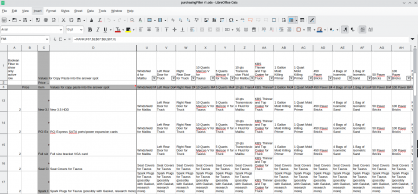
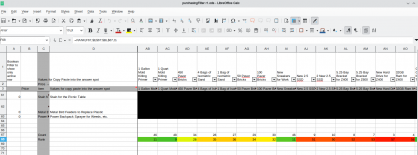
My goal is to replace a very large spreadsheet that contained all of the items that I had on my wish list at a specific point in time. I had trouble knowing which item to handle first when there were competing priorities such as home maintenance, vehicle maintenance, vehicle luxury upgrades, vehicle necessities, and so on. I then selected between each item and counted the number of wins for each item. As an example, one item that was on my list for a while was a pack of respirators for working with sawdust, flakes, and similar debris. I had kept putting it off because the projects I was planning to use it with were always on a back burner yet to occur. However, it was one of the top picks because when compared against 59 other items, it received the most votes. One might say that was to be expected. Yet another suprise was the backup collection of motor oil so that rather than only having the next oil change worth of oil, I would now have the next two changes of oil.
I am not sure on what to do with the output code. I was thinking about putting it on GitHub but it seems that GitHub is turning into something akin to the single repository of software code online and the master of it all. That unsettles me somewhat, so once I get the initial version working I will consider my options.
My process broke down regarding search and replace blocks, and I had to revisit some earlier documentation of outputs. The way I do this simple. I save each revision in a timestamped notebook entry in either QOwnNotes or Gnote. Gnote is fast and easy, but QOwnNotes allows me to input images and draft these blog entries.
QOwnNotes and Zettelkästen
I love Joplin, but Joplin seems more like an incredible file cabinet and set of bookshelves. It is possible to link from one note to another, but a Joplin icon appears by that link in the text. It can also be cumbersome to navigate between multiple documents while working on one. Joplin recently added the ability to open documents in a child window which really makes the problem wonderful. QOwnNotes includes an excellent Markdown Cheatsheet that one can open in a tab. I am looking for a solution for the extensive file cabinet, and one for the rough drafting. QOwnNotes syncs with Nextcloud.
chmod +x QOwnNotes-x86_64.AppImage This .AppImage file not extract via the normal method. Running the AppImage works, but an extraction to squash-fs fails as it leaves nothing in the folders. It is necessary to run it directly from the .AppImage file.
When creating new notes, they automatically receive file names like Note 2025-12-17 20h10s34. From this, I remove the word note and add a title and tags so that the name may serve me well in the future.
A local mirror of the source is available on this website. A local mirror of the AppImage file for version 25.12.6 is available on this website. The developers release the source and binaries on Github. The web companion for Firefox and LibreWolf is online, as is the Chrome extension. The web companion features seem to require more scripting than I am comfortable with for them to work. The number of Linux distributions for which for which one may download via official repositories is very impressive. Zettlr remains prettier and more fun to type in, but QOwnNotes builds documents that are ready for a simple copy-paste into the WordPress editor for publishing.
Nothing can replace Joplin. Joplin recognizes the reference style links of QOwnNotes, and the preview with preformatted text fields for code copy-pastes perfectly into WordPress. Joplin is a definite winner. Especially with the MDI interface.
I tried all these apps, and settled back on Joplin, but Zettler is fun to type in. Zettlr is for making a book, and Joplin is for making a reference library. All of this experimentation leads to me deciding to use Joplin better. Zettlr makes it easy to link existing notes by simply starting to type. The readability feature in Zettlr is also very helpful and helps me focus. Joplin can also use Zettlr’s footnote features.
This entry may have meandered a bit. I have settled on Joplin or organizing and remembering and and Zettlr for crafting. I will post completed pieces via Joplin preview to WordPress.
This post used Joplin 3.4.12 on Debian 12 and Zettlr 3.6.0.
Picking a tool for zettelkasten
It is a very challenging thing to pick a tool to invest time into building a personal knowledgebase. I have used numerous tools over the years and collected a huge number of documents and notes. Logseq integrates with Zotero which might prove useful due the gigabytes of material that I have stored there. My plan was always to start writing sometime in the future. All of that material would be analyzed, quoted, and used to support some argument.
Zettlr offers the most typerwriter like view, and lacks some of the more advanced features. It is therefore the one that I am going to select for document construction. The simplicity and feature set of the program has proven itself conducive to my needs.
Joplin will continue to play a role as a my giant syncronized and backed up file cabinet.
Discovering Zettelkästen
Via an advertisement there, I discovered https://www.warp.dev/code which looks like an most incredible resource. That may be how applications like Trillium have such incredible documentation and coding. There are 271 contributors, and the documentation and features are incredible and beyond anything else I have seen in a note taking application. This piece of software and the mind blowing quality of the documentation and feature sets has made me reconsider Deepin with the local integration and Deepin IDE.
The problem is that the Trillium notes are in a database, whereas Obsidian’s are in mark down. I discovered Zettlr, whose notes are also in Markdown, and discuss that below..
I discovered https://www.zettlr.com/ from a discussion at https://www.xda-developers.com/found-open-source-app-like-obsidian-except-its-better/.
From that, I discovered Zettelkästen. More specifically, I learned what it was via Zettlr. The Zettelkasten method involves cross-referencing one’s knowledge base so that one can find relationships between concepts and create a living knowledgebase with minimal forgetfulness.1 Zettlr contains the ability to insert snippets using variables for the date, time, and unique ID numbers. This is something that I had been trying to do of my own accord using various applications over the years.
Obsidian has a great preview that one can use to directly copy to blogs and product great entries with links intact. It looks like Obsidian took Trilium’s preview and Zettlr’s markdown and file management to create their application. All three share a very similar sidebar and navigation motif.
I consider Obsidian to be like many Minecraft modification developers in recent years. They take a lot of permissively licensed opensource software and then wrap it in an all rights reserved vague statement and do not share any code or redistribution rights. Many minecraft mods say all rights reserved, which is not really a license. They incorporate and link other libraries. Java itself uses a classpath exception so they do not become GPL because of that, however when the mods rely on other libraries that are GPL, such as other mods, and then hide behind “all rights reserved” it really breaks my heart. One would think they would want their mods available at many different sites and not only the website they uploaded them too.
Electron is MIT licensed. This is not an accusation. This is my opinion. I suspect Obsidian used Trilium notes and possibly Zettlr code and is not compliant with the GPL. That is my opinion only. Trilium notes even comes with server software. The Obsidian Webclipper is great. Yet it irritates me to no end that an open source foundation, like Electron, and possibly some of the precursors of Obsidian, made the way to a piece of software that says you cannot even redistribute the binaries. They could go out of business, but with binaries around, people could use that great software for ages. The situation is contrary to the Linux ethos. I could be wrong, and they pulled their code from Memos, which has a very similiar interface. The Memos code is at https://github.com/usememos/memos. Memos is another project sponsored by Warp. I am not accusing Obsidian. Logseq is another GPL project with a great deal of similar features and buttons, and is available at https://github.com/logseq/logseq.
I am stating that it is very strange, and perhaps some AI agents are using GPL code and the downstream products are not GPL as they should be, but that is my opinion only.
- https://docs.zettlr.com/en/advanced/zkn-method/, retrieved December 14 2025
