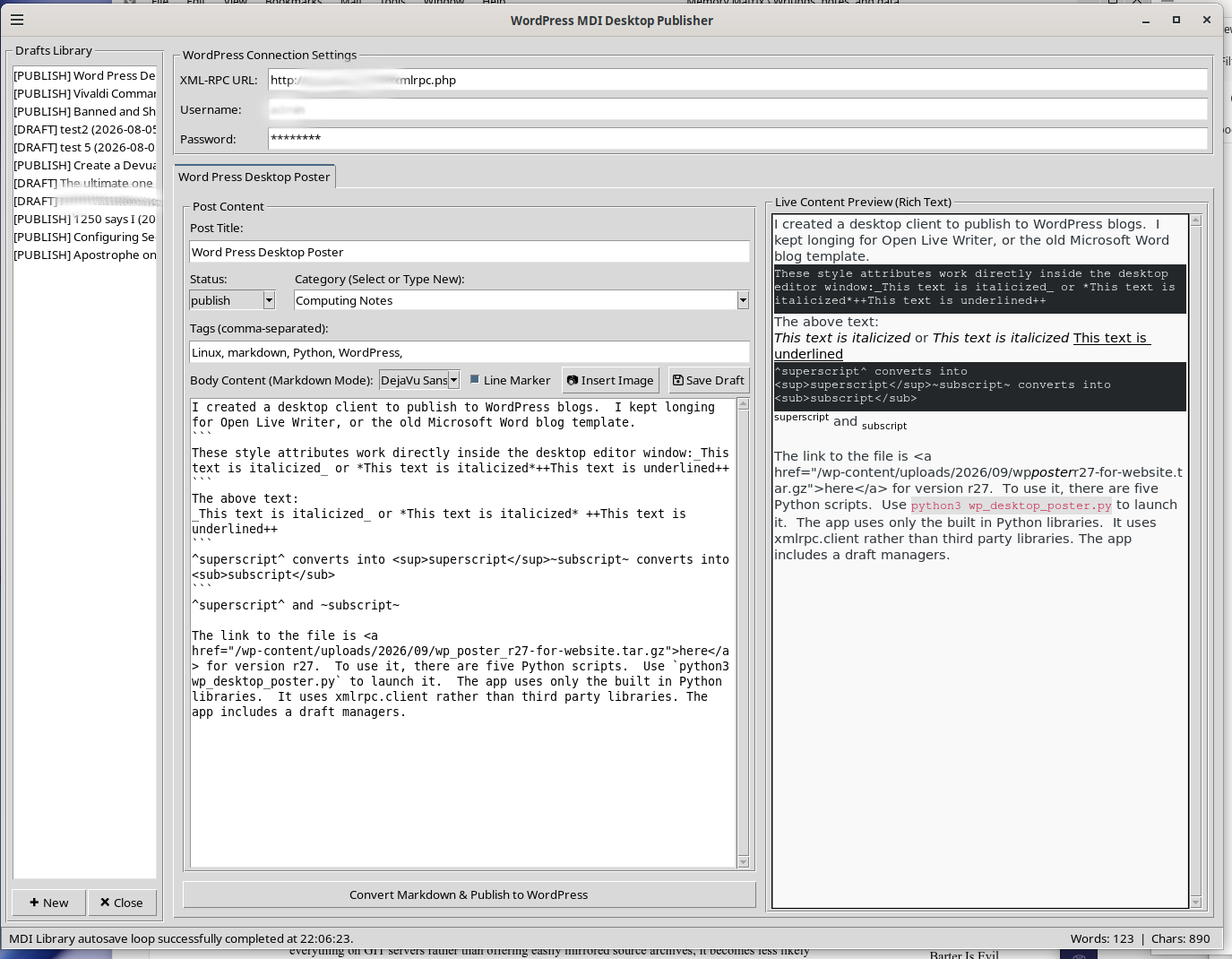
I created a desktop client to publish to WordPress blogs. I kept longing for Open Live Writer, or the old Microsoft Word blog template. This should work on Windows and Linux since it uses Python and the built-in libraries. The graphics library is Tkinter which comes with Python by default. This was built and tested on Python 3.13.5. This will work without using a virtual environment. It can be used via the system managed interpreter on newer Linux installations.
These style attributes work directly inside the desktop editor window:_This text is italicized_ or *This text is italicized*++This text is underlined++ The above text:
This text is italicized or This text is italicized This text is underlined
^superscript^ converts into <sup>superscript</sup>~subscript~ converts into <sub>subscript</sub> superscript and subscript
The link to the file is here for version r27. To use it, there are five Python scripts. Use python3 wp_desktop_poster.py to launch it. The app uses only the built in Python libraries. It uses xmlrpc.client rather than third party libraries. The app includes a draft manager. Select the status that you want the article to have once you publish, whether that status should be draft or published. Category and tags must be manually typed. These are not read from the server. It also includes a word and character count along with a live preview. You can easily upload images while editing the entry. There no warranties of any type, and the license is GPL. A copy of the GPL is included in the compressed archive. The program has a tabbed document interface so that you can have multiple documents open at once.
.
